Okay so I've just installed Ubuntu 9.10 (Karmic Koala) to my desktop. It's not going great.
The first attempt was an "in place upgrade". The reasoning behind this was simple. I had a lot of notes in Tomboy Notes that I didn't want to lose. Previous experience has taught me that Tomboy Notes doesn't deal with upgrades well. However Ubuntu One has a Tomboy Notes synchronisation feature. So the reasoning was simple. Do an inplace upgrade. Upload my notes. Do a clean install later if I need to.
After the in-place upgrade was done I noticed the PC was very unresponsive. minutes pass by while I wait for the top panel menus to respond. I don't know what the issue is. But the 32-bit version running on my laptop doesn't suffer from this problem. But hey! No problem. I thought I'd just do a clean install. Same problem!
Now admittedly I did preserve my home directory. So perhaps there's some sort of conflict with my old settings. So my next plan of action is to wipe the system clean and start completely fresh. If that doesn't work I'll install the 32-bit version. Perhaps the 64-bit copy is experiencing issues? Who knows.
It's not all bad though. I have an SLI setup. Previously this would mean I'd have to use the text based installer. But this time the standard live CD handled my dual graphics cards with no issues. The installer can even deal with RAID arrays like Nvidia Stripe. It will even offer to install Ubuntu to the RAID array.
Considering very little seems to have changed on the desktop, RAID and SLI support in the installer would suggest all the big changes (if there are any) in Ubuntu 9.10 have taken place under the hood.
Edit 08-11-2009: As I suspected some settings from my previous installation were causing issues. With a 100% fresh install everything seems to be working fine. My advice is, do a 100% completely fresh install. Remember to back up your /home directory first and anything else you don't want to lose.
Friday, 6 November 2009


Wednesday, 4 November 2009
Ubuntu One: First Impressions
First off, what exactly is Ubuntu One? Well basically it's a file sharing and synchronisation service from Canonical. The basic package is free and provides a reasonable 2GB of storage. Canonical claims it's your personal cloud.
So my first impressions? It sucks. Canonical produces client software for both Ubuntu 9.04 and Ubuntu 9.10. However support for 9.04 seems pretty feeble. There's no Tomboy notes synchronisation for 9.04 as there is in 9.10. Which makes that feature useless if your not the type to dive in and upgrade all your PCs all at once.
Even worse however is the file synchronisation feature. It just doesn't seem to work. This being the basic concept of the whole package anybody would have thought Canonical would have gone out of their way to make this work. But it seems not.
So far I've been able to get files and indeed whole folders to upload my Ubuntu One storage space. But they don't ever seem to download to the other PC. It doesn't matter which PC does the uploading. The other PC just doesn't "synchronise" with my on-line Ubuntu One storage space.
Now the client software isn't the only way to interact with Ubuntu One. There is a web interface. But then again there are loads of places on-line for me to upload my stuff to that I can later download from using a web browser. The point and attraction of Ubuntu One is the desktop integration. Which just doesn't seem to be working properly.
Frankly I get a better service using the 50MB of free web space my ISP provides me with. It's simpler to set up as well. All I need to do is FTP into my web space from Places > Connect To Server. No software to install. No PPA to setup. Just a user name, password and FTP address. It's also 100% compatible with both versions of Ubuntu I'm using at the moment.
Perhaps Ubuntu One will work better when I'm running Ubuntu 9.10 on both PCs.
So my first impressions? It sucks. Canonical produces client software for both Ubuntu 9.04 and Ubuntu 9.10. However support for 9.04 seems pretty feeble. There's no Tomboy notes synchronisation for 9.04 as there is in 9.10. Which makes that feature useless if your not the type to dive in and upgrade all your PCs all at once.
Even worse however is the file synchronisation feature. It just doesn't seem to work. This being the basic concept of the whole package anybody would have thought Canonical would have gone out of their way to make this work. But it seems not.
So far I've been able to get files and indeed whole folders to upload my Ubuntu One storage space. But they don't ever seem to download to the other PC. It doesn't matter which PC does the uploading. The other PC just doesn't "synchronise" with my on-line Ubuntu One storage space.
Now the client software isn't the only way to interact with Ubuntu One. There is a web interface. But then again there are loads of places on-line for me to upload my stuff to that I can later download from using a web browser. The point and attraction of Ubuntu One is the desktop integration. Which just doesn't seem to be working properly.
Frankly I get a better service using the 50MB of free web space my ISP provides me with. It's simpler to set up as well. All I need to do is FTP into my web space from Places > Connect To Server. No software to install. No PPA to setup. Just a user name, password and FTP address. It's also 100% compatible with both versions of Ubuntu I'm using at the moment.
Perhaps Ubuntu One will work better when I'm running Ubuntu 9.10 on both PCs.
Monday, 2 November 2009
Ubuntu 9.10: First Impressions
My first impression of Ubuntu 9.10? A whole lot of people are interested. My first few attempts to download the ISO file resulted in a corrupted ISO. After waiting a few days for the traffic to calm down, I downloaded new ISOs and they work fine.
So far I've only just finished the initial installation on my Dell M1330n laptop. Since I want to take advantage of the new ext4 file system this is a clean install. To get all my applications installed and running I've created a script based on this How To from Ubuntu Forums. Personally I feel strong command line scripting is one of the greatest strengths of Linux. It just makes migrating to a new system so easy.
My laptop is equiped with an SSD. Which is why ext4 is so important to me. So far as I can work out ext4 has supposedly been optimised to work better with SSDs. Boot times are fast. Although I'm not sure if they are a massive improvement on 9.04 which was already very fast at boot time on my laptop.
Speaking of impressive boot-ups! The little animation that appears where the grub menu would normally appear is awesome. If that is the effect using Grub2 has on the overall polish to the OS then Canonical and the Ubuntu devs made an excellent choice here. It makes the OS feel like some sat down and made an effort to polish the final product rather than just make it work.
The new login screen is pretty cool. It functions very smoothly indeed. It was also a bit of a surprise. I can't remember anybody mentioning anything like that would be there. The new functionality (that I've seen so far) is purely cosmetic. However good looking OS that operates smoothly does make using PCs less stressful and irritating. It's reasuring to know that Canonical and the rest if the Ubuntu development team understands little tweaks can make a huge difference to the user experience. The fade to the desktop is very cool. Windows 7 does the same sort of thing. But over all I think Ubuntu does it better with the initial animated logo at the very start, through the updated boot screen to the very smooth new log-in screen, to the desktop. The whole thing just feels more polished than Windows 7.
The wider selection of desktop backgrounds and themes is also a welcome addition. Although I do get the feeling some of the wallpapers were grabbed off the web at random at the last minute. For some reason they just don't seem to fit with the prodominantly dark brown earthy window themes. Just five more minutes of effort could have avoided that. But it's easily fixed.
A big dissapointment was the restricted drivers manager. For some reason it just doesn't seem to work. I had to install my Nvidia drivers from Synaptic manually. Something for Canonical to work on for 10.04.
My next task is to migrate all of my personal data back to my laptop. Which won't be too hard as I don't keep much on the laptop anyway.
Update 03-11-2009: Added link to Ubuntu Forums. Forgot to do that. DOH! http://ubuntuforums.org/showthread.php?t=766683
Update 04-11-2009: Some videos to make life more interesting.
So far I've only just finished the initial installation on my Dell M1330n laptop. Since I want to take advantage of the new ext4 file system this is a clean install. To get all my applications installed and running I've created a script based on this How To from Ubuntu Forums. Personally I feel strong command line scripting is one of the greatest strengths of Linux. It just makes migrating to a new system so easy.
My laptop is equiped with an SSD. Which is why ext4 is so important to me. So far as I can work out ext4 has supposedly been optimised to work better with SSDs. Boot times are fast. Although I'm not sure if they are a massive improvement on 9.04 which was already very fast at boot time on my laptop.
Speaking of impressive boot-ups! The little animation that appears where the grub menu would normally appear is awesome. If that is the effect using Grub2 has on the overall polish to the OS then Canonical and the Ubuntu devs made an excellent choice here. It makes the OS feel like some sat down and made an effort to polish the final product rather than just make it work.
The new login screen is pretty cool. It functions very smoothly indeed. It was also a bit of a surprise. I can't remember anybody mentioning anything like that would be there. The new functionality (that I've seen so far) is purely cosmetic. However good looking OS that operates smoothly does make using PCs less stressful and irritating. It's reasuring to know that Canonical and the rest if the Ubuntu development team understands little tweaks can make a huge difference to the user experience. The fade to the desktop is very cool. Windows 7 does the same sort of thing. But over all I think Ubuntu does it better with the initial animated logo at the very start, through the updated boot screen to the very smooth new log-in screen, to the desktop. The whole thing just feels more polished than Windows 7.
The wider selection of desktop backgrounds and themes is also a welcome addition. Although I do get the feeling some of the wallpapers were grabbed off the web at random at the last minute. For some reason they just don't seem to fit with the prodominantly dark brown earthy window themes. Just five more minutes of effort could have avoided that. But it's easily fixed.
A big dissapointment was the restricted drivers manager. For some reason it just doesn't seem to work. I had to install my Nvidia drivers from Synaptic manually. Something for Canonical to work on for 10.04.
My next task is to migrate all of my personal data back to my laptop. Which won't be too hard as I don't keep much on the laptop anyway.
Update 03-11-2009: Added link to Ubuntu Forums. Forgot to do that. DOH! http://ubuntuforums.org/showthread.php?t=766683
Update 04-11-2009: Some videos to make life more interesting.
Saturday, 17 October 2009
PC Gamers Need To Vote!
I've just been to Dells IdeaStorm web site and submitted an idea asking Dell to help the PC gaming industry establish a long term base level of hardware to help bolster the PC gaming industry and pull it out of decline. I'll post the text of the idea below. But first let me say PC gamers need to do something to push the hardware and software industry together to establish a base level of hardware that will support all games at decent settings.
When developers develop for the Wii or Playstation they know it's a long term commitment. The hardware will be supported for at least the next 5 to 10 years. It takes on average 3 to 5 years to develop, test and polish a major gaming title. If not, then longer. Microsoft want to refresh Windows every 2 to 3 years. As we've seen with Vista there is no guarantee of backwards compatibility.
So a game which started development with one Windows platform in mind might suddenly become usless unless the developers alter the game to support the new platform. This is very costly and time consuming. We need a better solution for PC gaming than Windows!
The Dell IdeaStorm post: Establish A Base Level For PC Gaming Hardware.
When developers develop for the Wii or Playstation they know it's a long term commitment. The hardware will be supported for at least the next 5 to 10 years. It takes on average 3 to 5 years to develop, test and polish a major gaming title. If not, then longer. Microsoft want to refresh Windows every 2 to 3 years. As we've seen with Vista there is no guarantee of backwards compatibility.
So a game which started development with one Windows platform in mind might suddenly become usless unless the developers alter the game to support the new platform. This is very costly and time consuming. We need a better solution for PC gaming than Windows!
The Dell IdeaStorm post: Establish A Base Level For PC Gaming Hardware.
Ever since games consoles could hold their own against the processing muscle of the PC, the PC gaming industry has been in decline. There are a number of reasons for this. Which I will detail below.
1) The PC as a gaming platform shifts far too rapidly for games developers to keep up with. There is no base level of hardware to target. This makes it very difficult and costly for games developers to develop for the PC.
When a games developer target the Playstation, they know the hardware spec will be good for at least 5 to 10 years. Typically it can take 3 to 5 years just to develop, test and polish a game for distribution. So an unchanging stable platform is absolutely essential!
2) Security is an issue!!! Increasingly modern games are becoming on-line affairs. We no longer pit our wits against AI. We join virtual battle with each other. However PC gamers are at a disadvantage. Windows.
Making Windows secure for on-line activities can be a costly business. PC gamers take a hit in the wallet and performance of their gaming rigs. As though Windows it's self wasn't enough of a resource hog. PC gamers need to shell out for anti-virus software, anti-malware software, spam filters and firewalls.
Now it's true all this software can be had for free. But the free versions are always crippled in some way. They're never as fully functional as their paid for equivalents. Even worse! Some malware has now started pretending to me anti-malware! Gamers who get duped risk losing their passwords and privet details. Including payment details. Credit card numbers, bank account numbers and the like. The potential for fraud here is massive!
The solution is quite simple and one the likes of Sony has been using for years now. Don't use Windows for gaming. The Sony Playstation doesn't use Windows as it's OS. But the games run just fine all the same. The graphics are excellent and the games have on-line connectivity. Nobody seems to be worried about viruses or malware.
Dell already supports Ubuntu. The World of Goo and the Penumbra Trilogy both run flawlessly on Linux and sold well. It might be an old game now but Doom 3 runs perfect with no loss of detail or functionality. Clearly Linux can handle complex and demanding on-line multi-player games.
A secure PC platform for gamers is essential! That security shouldn't bring with it a performance cost. Gamers should not be installing additional software just to make their gaming rigs secure. Linux is the answer.
3) Performance and Stability. Anybody who has played a game on Windows knows the frustration of BSODs at just the wrong moment. It's unacceptable. All gamers also know the reason they need PCs with fans so loud they are in danger of suffering industrial deafness is because Windows needs a reasonably beefy system just for its' self if its' to be responsive and sprightly.
Adding a demanding game with high resolution graphics and a web connection adds a load Windows often just can't handle. So Windows throws it's hands in the air and hides behind a BSOD. The problem is resource management. Windows just can't do it well enough.
Linux on the other hand does a much better job out of the box. No tweaking. No over clocking to squeeze some sort of performance out of the processors. No industrial refrigeration required. That doesn't mean Linux can run Halo on the BBC Micro. But it does mean more of the systems resources are freed to help the game run smoother with greater stability.
But even Linux software crashes sometimes. So what then? Well Linux crashes in a graceful manner. Normally the app will simply shut down and the user will return to the desktop. In very bad crashes the user will be kicked out to the log-in screen. However the system will almost never lock up completely in a BSOD like scenario no matter how badly the game is written.
A robust OS like Linux is essential for high-end demanding games. Linux is that OS.
Dell needs to serve its' gamers better. Help the PC industry establish a base level of hardware by producing a gaming rig and commiting to that hardware spec for 5 to 10 years. Preferably 10 years.
Choose hardware that is Linux compatible. The XPS 700 series is already Linux compatible. This will allow the industry and gamers to choose their OS. Gamers who want more security and performance can choose Linux. Gamers who want to be compatible with yesterday can choose Windows. Or we can dual boot and be compatible with everything.
Don't be Gartner Sheep!
Okay I'm confused. But since when was it written in law that people or businesses absolutely had to refresh their hardware? Surely it's good business sense to only buy what you need? Right?
Apparently not. Gartner has decided it's time we all bought new PCs. Why exactly? Well obviously because Microsoft are bring out Windows 7. Since nobody bought Windows Vista it's time we upgraded right?
Wrong! The time to upgrade or refresh is when you can predict your current IT investment is no longer going to meet your needs. How close you can wait until that time comes depends on how large your organisation is and how efficently it can move through the refresh cycle. A single person working self employed can make the transition in as little as a few hours. Larger business will take days to weeks. While other will take months or even as much as a year or more for full deployment of a new operating system.
So given that this guilt trip induced refresh can be so costly in terms of money, lost man hours and man hours expended on the refresh, what is the single most crucial question to ask? What's in it for me? What will Windows 7 deliver that other operating systems can't? Is it security? Better resource management? Cloud connectivity and integration?
Do you really want to trust a Microsoft cloud solution after the Sidekick debacle?
One of the most recently touted selling points for Windows 7 has been it's ability to run Windows XP software. This might come as a shock to some. Windows XP runs Windows XP software! But if you're running a business and you're gullable enough to follow the fasion trends the like of Gartner demand then at least look around before commiting all your money to Microsoft.
There are alternative options out there. Some other operating systems also run Windows XP software. Intall WINE on an Ubuntu desktop or laptop and it'll run most XP software just fine. It might struggle with MS Office. However OpenOffice.org comes pre-bundled with Ubuntu. For free!
So please do consider refreshing your hardware and software. But when you do. Ask yourself what your business really needs. Do you need Windows 7? Would a cloud solution be better? Could you ditch the Microsoft lock-in cycle all together and use something completly different? What software do you use? What do you use it for? Is it unique? Could you migrate? Would migration save you money? How much money? Will Windows 7 be good value for money? Windows needs licences, Ubuntu doesn't. Can you reuse your old hardware?
Can you save money on an IT refresh during a recession?
Consider your options people! Don't be sheep!
Apparently not. Gartner has decided it's time we all bought new PCs. Why exactly? Well obviously because Microsoft are bring out Windows 7. Since nobody bought Windows Vista it's time we upgraded right?
Wrong! The time to upgrade or refresh is when you can predict your current IT investment is no longer going to meet your needs. How close you can wait until that time comes depends on how large your organisation is and how efficently it can move through the refresh cycle. A single person working self employed can make the transition in as little as a few hours. Larger business will take days to weeks. While other will take months or even as much as a year or more for full deployment of a new operating system.
So given that this guilt trip induced refresh can be so costly in terms of money, lost man hours and man hours expended on the refresh, what is the single most crucial question to ask? What's in it for me? What will Windows 7 deliver that other operating systems can't? Is it security? Better resource management? Cloud connectivity and integration?
Do you really want to trust a Microsoft cloud solution after the Sidekick debacle?
One of the most recently touted selling points for Windows 7 has been it's ability to run Windows XP software. This might come as a shock to some. Windows XP runs Windows XP software! But if you're running a business and you're gullable enough to follow the fasion trends the like of Gartner demand then at least look around before commiting all your money to Microsoft.
There are alternative options out there. Some other operating systems also run Windows XP software. Intall WINE on an Ubuntu desktop or laptop and it'll run most XP software just fine. It might struggle with MS Office. However OpenOffice.org comes pre-bundled with Ubuntu. For free!
So please do consider refreshing your hardware and software. But when you do. Ask yourself what your business really needs. Do you need Windows 7? Would a cloud solution be better? Could you ditch the Microsoft lock-in cycle all together and use something completly different? What software do you use? What do you use it for? Is it unique? Could you migrate? Would migration save you money? How much money? Will Windows 7 be good value for money? Windows needs licences, Ubuntu doesn't. Can you reuse your old hardware?
Can you save money on an IT refresh during a recession?
Consider your options people! Don't be sheep!
Sunday, 11 October 2009
How Bad Is The Malware Issue?
Okay this is just a quick post to pose the question. Just how bad is the malware problem really? It's a fair question to ask. Indeed a very important question to ask since some pundits claim 9 in every 10 PCs sold in the world has Microsoft Windows pre-installed.
That's a lot of PCs running an OS that is not only the prime target for criminals, but has also been criticised time and again for being too lax with security. As people depend on their PCs more and more for essential basic services in modern life like banking, security becomes a major issue. One that flies in the face of conventional wisdom.
Traditionally home users have taken second place in the security stakes. Especially on the Microsoft Windows platform. Without third-party products, which cost extra to the consumer, Windows is wide open. Windows 7 clearly doesn't address this security issue. If it did Microsoft would be pushing their "Security Essentials" free product. Well at least it's free.
But back to my question. How bad is the malware issue? Well since subscribing to the Avira Anti-Virus update notifications about a year ago I've had 1573 update notifications. The vast majority of which are simply virus definition updates. None of these notifications are duplicates. 1573 from 1st October 2008 until 9th October 2009.
My advice to anybody using the web to do essential things like banking is to use a secure platform. Windows is not that platform. It's just to big a target with too many holes.
That's a lot of PCs running an OS that is not only the prime target for criminals, but has also been criticised time and again for being too lax with security. As people depend on their PCs more and more for essential basic services in modern life like banking, security becomes a major issue. One that flies in the face of conventional wisdom.
Traditionally home users have taken second place in the security stakes. Especially on the Microsoft Windows platform. Without third-party products, which cost extra to the consumer, Windows is wide open. Windows 7 clearly doesn't address this security issue. If it did Microsoft would be pushing their "Security Essentials" free product. Well at least it's free.
But back to my question. How bad is the malware issue? Well since subscribing to the Avira Anti-Virus update notifications about a year ago I've had 1573 update notifications. The vast majority of which are simply virus definition updates. None of these notifications are duplicates. 1573 from 1st October 2008 until 9th October 2009.
My advice to anybody using the web to do essential things like banking is to use a secure platform. Windows is not that platform. It's just to big a target with too many holes.
Saturday, 10 October 2009
Desktop Linux Is Ready!
For a long time Linux was criticised as being too complicated and difficult for non-technical people to use. Personally I don't think that was ever really the case. I mean if Linux came pre-installed like Windows then the OEM would tweak it and install it to suit their hardware.
However Canonical has gone out of it's way now to prove to bury this myth once and for all. Take a look at the installation slide show for Ubuntu 9.10. Linux is ready for the desktop. It's ready for the mass market. It's ready for anybody that wants to use it. It doesn't matter if it's pre-installed or installed after market.
With respect to the basic installation, Ubuntu is now on par with Windows XP, Vista and even Windows 7. After the compiz effects have been enabled Ubuntu goes well beyond what Windows 7 is offering in terms of entertaining and useful desktop effects. And lets not forget the host of free software applications available directly from Canonicals Ubuntu repositories. Which contain everything from games to office productivity suits to web browsers to e-mail clients to extremely powerful tools for ICT professionals.
Ubuntu is also an OS well suited to "power users" with it's extremely high degree of customisability. There's nothing that can't be changed or tweaked. You can even change the entire desktop environment!
Now since Windows 7 has been available for testing many different sources have been quoting "boot times" of 20 to 30 seconds for Windows 7. It's become something of a selling point due to the fact Vista was so slow and a 6 month old installation of XP crawled along at a snails pace.
Well a default installation of Ubuntu 9.04 boots in around 15 to 20 seconds. From a cold start. Potentially 5 to 10 seconds faster than Microsofts latest and greatest Windows 7. The "boot times" for which by the way are actually restore from hibernation times!
At the time of writing, 10th October 2009, we're about 19 days from the final release of Ubuntu 9.10. Windows 7 will be out on October 22nd 2009. Ubuntu 9.10 has already been quoted as being able to boot from a cold start in 5 seconds when installed to an SSD.
So desktop Linux can now claim feature parity with desktop Windows. And as an added bonus it can also claim faster boot times as well as many other advantages. Linux is ready! Ubuntu is ready!
Microsoft and Apple are not the only game in town any longer!
http://www.workswithu.com/2009/10/09/installer-slideshow-in-ubuntu-910-helps-new-users/
However Canonical has gone out of it's way now to prove to bury this myth once and for all. Take a look at the installation slide show for Ubuntu 9.10. Linux is ready for the desktop. It's ready for the mass market. It's ready for anybody that wants to use it. It doesn't matter if it's pre-installed or installed after market.
With respect to the basic installation, Ubuntu is now on par with Windows XP, Vista and even Windows 7. After the compiz effects have been enabled Ubuntu goes well beyond what Windows 7 is offering in terms of entertaining and useful desktop effects. And lets not forget the host of free software applications available directly from Canonicals Ubuntu repositories. Which contain everything from games to office productivity suits to web browsers to e-mail clients to extremely powerful tools for ICT professionals.
Ubuntu is also an OS well suited to "power users" with it's extremely high degree of customisability. There's nothing that can't be changed or tweaked. You can even change the entire desktop environment!
Now since Windows 7 has been available for testing many different sources have been quoting "boot times" of 20 to 30 seconds for Windows 7. It's become something of a selling point due to the fact Vista was so slow and a 6 month old installation of XP crawled along at a snails pace.
Well a default installation of Ubuntu 9.04 boots in around 15 to 20 seconds. From a cold start. Potentially 5 to 10 seconds faster than Microsofts latest and greatest Windows 7. The "boot times" for which by the way are actually restore from hibernation times!
At the time of writing, 10th October 2009, we're about 19 days from the final release of Ubuntu 9.10. Windows 7 will be out on October 22nd 2009. Ubuntu 9.10 has already been quoted as being able to boot from a cold start in 5 seconds when installed to an SSD.
So desktop Linux can now claim feature parity with desktop Windows. And as an added bonus it can also claim faster boot times as well as many other advantages. Linux is ready! Ubuntu is ready!
Microsoft and Apple are not the only game in town any longer!
http://www.workswithu.com/2009/10/09/installer-slideshow-in-ubuntu-910-helps-new-users/
Saturday, 3 October 2009
In the time it takes your computer to boot up ...
"In the time it takes your computer to boot up ..." is a phrase I have heard over and over. What people should be saying is "in the time it takes Microsoft Windows to boot up you could go make a cup of tea, some toast, cook a Sunday lunch and dash out to the shops." This generalisation bothers me. It bothers me because not all computers are the same. They might contain the same hardware. But the software that makes that hardware do useful things makes all the difference.
Even with Linux, which generally boots fairly quickly the hardware and software setup makes all the difference. With an SSD drive at it's disposal Ubuntu 9.10 will boot in 5 seconds. Without the SSD drive it will be more like 10 to 15 seconds. The last time I tested Windows 7 Beta 1 on my Dell XPS 720, which has an Intel Core 2 Quad CPU runnung at 2.66 GHz and 8 GB of RAM, I was still counting Windows boot times from a cold start in minutes. Ubuntu 9.04 boots in 15 to 20 seconds on the same machine.
So bloggers and particuarly Priya Ganapati who is the latest offender to annoy me with this rediculous generalisation. Get it right! If you're talking about Windows PCs then say so. If your talking about Macs? Say so. If you're talking about Linux based PCs. Say so!
This is an important distinction to make. The PC landscape is changing rapidly. New OS players are coming into the market and they're all fighting for their slice of the pie. People tend to look to the media, blogs, forums etc to help them understand and figure out the differences between new products coming to the market. So it's important to get it right. Slow boot times are no longer an issue for everybody.
Apple seems to be able to do no wrong. Even though some of their business practices are worse than Microsofts'. Google is trying to muscle in with Android and Chrome OS. Both Linux based OSs. And of course we can't forget Linux it's self. Ubuntu is making good ground. Canonical, the parent developers of Ubuntu, are gaining support from the likes of IBM, Intel, Dell, HP and Sun Microsystems. All big names with interests in making Linux success.
So in the time it takes your PC to boot. Try and see if you can figure out with OS you're running!
Even with Linux, which generally boots fairly quickly the hardware and software setup makes all the difference. With an SSD drive at it's disposal Ubuntu 9.10 will boot in 5 seconds. Without the SSD drive it will be more like 10 to 15 seconds. The last time I tested Windows 7 Beta 1 on my Dell XPS 720, which has an Intel Core 2 Quad CPU runnung at 2.66 GHz and 8 GB of RAM, I was still counting Windows boot times from a cold start in minutes. Ubuntu 9.04 boots in 15 to 20 seconds on the same machine.
So bloggers and particuarly Priya Ganapati who is the latest offender to annoy me with this rediculous generalisation. Get it right! If you're talking about Windows PCs then say so. If your talking about Macs? Say so. If you're talking about Linux based PCs. Say so!
This is an important distinction to make. The PC landscape is changing rapidly. New OS players are coming into the market and they're all fighting for their slice of the pie. People tend to look to the media, blogs, forums etc to help them understand and figure out the differences between new products coming to the market. So it's important to get it right. Slow boot times are no longer an issue for everybody.
Apple seems to be able to do no wrong. Even though some of their business practices are worse than Microsofts'. Google is trying to muscle in with Android and Chrome OS. Both Linux based OSs. And of course we can't forget Linux it's self. Ubuntu is making good ground. Canonical, the parent developers of Ubuntu, are gaining support from the likes of IBM, Intel, Dell, HP and Sun Microsystems. All big names with interests in making Linux success.
So in the time it takes your PC to boot. Try and see if you can figure out with OS you're running!
Sunday, 27 September 2009
Ubuntu Tip: Simple Backup Command Using CP
Backing up your computers hard drive is extremely important. Should the worst happen and you lose all of your important data, you need a way back. While there are many excellent utilities in the Ubuntu repositories that handle partial and full system backups. Sometimes a simpler solution is all that is needed.
Fortunately Ubuntu and Linux in general in fact comes with everything you need in the for of the very simple but also extremely powerful cp command. In case you haven't figured it out yet, cp is Linux command line speak for copy. The examples below will show you how to use cp to back up your entire system.
sudo cp -r -u -x -v [source directory] [destination directory]
Example 1:
sudo cp -r -u -x -v /home/ /media/MY_USB_DRIVE
sudo: Gives temporary root privileges.
cp: Linux command line copy command.
-r: Used with cp this switch causes cp to copy directory content recursively. Meaning it will copy all files and subdirectories in the directory being copied.
-u: Used with cp this switch causes cp to only copy files that have changed or don't already exist at the destination.
-x: Used with cp this switch stops cp jumping to other file systems which it will do if it encounters hard links or symbolic links.
This switch also stops cp eating it's tail if you choose to back up your entire system. See examples 2 and 3 below.
-v: Used with cp this switch cause cp to give feed back on what's happening.
Full System Backup With CP
If we wish to perform a full system backup then we might feel inclined to use a command similar to that in Example 2 below. The trouble is without the -x switch cp will also attempt to backup the backup to the backup. Basically eating it's own tail in a never ending loop until all disk space is used up.
This happens because all other file systems are mounted to a location branching from the root file system. So if root is / then home is mounted to /home. Within Ubuntu all USB drives tend to be mounted to /media/a_USB_drive, etc.
However with the -x switch the command in example 2 will not be enough to back up the entire system if there are several storage devices or file systems mounted to different mount points. To get around this problem we must write a small script that will backup each file system separately. Example 3 shows a small example where the root files system / and /home are backed up separately.
Example 2:
sudo cp -r -u -v / /media/MY_USB_DRIVE
Example 3:
#!/bin/sh
#
# cp based backup script.
#
sudo cp -r -u -x -v / /media/MY_USB_DRIVE
sudo cp -r -u -x -v /home/ /media/MY_USB_DRIVE
This script can be created in any text editor like gedit or nano. After the script has been saved it must be given permission to be run as a program. Example 4 shows the command needed to change to the directory/folder where the script is stored. How to apply execute permissions and how to run the script.
Example 4:
First open a terminal window if you haven't already done so and enter the following commands. The actual location of your script is where you chose to save it.
cd /home/aikiwolfie/scripts/ (press enter)
chmod a+x my_backup_script (press enter)
./my_backup_script (press enter)
And that's it. Sit back and watch the backup script do it's job.
Fortunately Ubuntu and Linux in general in fact comes with everything you need in the for of the very simple but also extremely powerful cp command. In case you haven't figured it out yet, cp is Linux command line speak for copy. The examples below will show you how to use cp to back up your entire system.
sudo cp -r -u -x -v [source directory] [destination directory]
Example 1:
sudo cp -r -u -x -v /home/ /media/MY_USB_DRIVE
sudo: Gives temporary root privileges.
cp: Linux command line copy command.
-r: Used with cp this switch causes cp to copy directory content recursively. Meaning it will copy all files and subdirectories in the directory being copied.
-u: Used with cp this switch causes cp to only copy files that have changed or don't already exist at the destination.
-x: Used with cp this switch stops cp jumping to other file systems which it will do if it encounters hard links or symbolic links.
This switch also stops cp eating it's tail if you choose to back up your entire system. See examples 2 and 3 below.
-v: Used with cp this switch cause cp to give feed back on what's happening.
Full System Backup With CP
If we wish to perform a full system backup then we might feel inclined to use a command similar to that in Example 2 below. The trouble is without the -x switch cp will also attempt to backup the backup to the backup. Basically eating it's own tail in a never ending loop until all disk space is used up.
This happens because all other file systems are mounted to a location branching from the root file system. So if root is / then home is mounted to /home. Within Ubuntu all USB drives tend to be mounted to /media/a_USB_drive, etc.
However with the -x switch the command in example 2 will not be enough to back up the entire system if there are several storage devices or file systems mounted to different mount points. To get around this problem we must write a small script that will backup each file system separately. Example 3 shows a small example where the root files system / and /home are backed up separately.
Example 2:
sudo cp -r -u -v / /media/MY_USB_DRIVE
Example 3:
#!/bin/sh
#
# cp based backup script.
#
sudo cp -r -u -x -v / /media/MY_USB_DRIVE
sudo cp -r -u -x -v /home/ /media/MY_USB_DRIVE
This script can be created in any text editor like gedit or nano. After the script has been saved it must be given permission to be run as a program. Example 4 shows the command needed to change to the directory/folder where the script is stored. How to apply execute permissions and how to run the script.
Example 4:
First open a terminal window if you haven't already done so and enter the following commands. The actual location of your script is where you chose to save it.
cd /home/aikiwolfie/scripts/ (press enter)
chmod a+x my_backup_script (press enter)
./my_backup_script (press enter)
And that's it. Sit back and watch the backup script do it's job.
Sunday, 20 September 2009
OpenOffice: Why Do OEMs Ignore it?
I was just wondering exactly how much adoption OpenOffice had achieved.
13% of the market sounds good. But what does it mean? And how just what
exactly will the threshold be before the likes of HP, Asus, Acer and Dell decide they can't ignore
OpenOffice any longer?
"The total TCO for implementing OpenOffice.org LandsNet (the entire
public sector) ... OpenOffice.org results in a cost reduction of 91%".
The numbers speak for themselves!
13% of the market sounds good. But what does it mean? And how just what
exactly will the threshold be before the likes of HP, Asus, Acer and Dell decide they can't ignore
OpenOffice any longer?
- http://user.services.openoffice.org/en/forum/viewtopic.php?f=52&t=138
- http://blogs.sun.com/jonathan/entry/more_momentum_behind_openoffice
- http://wiki.services.openoffice.org/wiki/Major_OpenOffice.org_Deployments
- http://knowledge.oscc.org.my/solution-areas/desktop/OpenOffice.org/openoffice-adoption
- http://moodle.centerville.k12.oh.us/mod/forum/discuss.php?d=32064
- http://ooomarketing.blogspot.com/2009/05/openofficeorg-in-education-adoption-is.html
- http://www.gabrielgurley.com/files/817a9ebbe54677f3e629f23b9698361e-10.html
- http://linuxbsdos.com/2008/11/17/norwegian-ministry-to-sponsor-adoption-of-openofficeorg/
- http://www.chrisbray.co.uk/danish-openoffice-adoption-case-study-reports-91-lower-tco
"The total TCO for implementing OpenOffice.org LandsNet (the entire
public sector) ... OpenOffice.org results in a cost reduction of 91%".
The numbers speak for themselves!
Friday, 18 September 2009
Microsoft Thinks Your Stupid!
Does anybody seriously believe this child just happened to perfectly copy and paste all the key promotional slogans for Windows 7 into a slide show? My nieces and nephews don't even play with Power Point. They jump right onto cbbc and play games!
Boycott Windows 7
Digg doesn't like the direct IdeaStorm link. It does go through a lot of redirections. So here it is.
Redmond Running Scared!
Microsoft are seriously pushing the boat out here. But still manage to put the boot into their UK customers. Why is Windows 7 cheaper in the US for students than it is in the UK? If memory serves me correctly Microsoft pulled a similar pricing stunt with Windows Vista. How much longer are people going to tolerate such shoddy treatment?
The price gap can't be explained purely by exchange rates alone. So what gives? Does Microsoft think students in UK colleges and universities are stupid? Are they just sheep to be pumped dry and ripped off? Why is it Microsoft has decided to climb aboard the "rip-off Britain" band wagon? Any company treating you like this does not deserve your money. Vote with your feet and your wallets and buy something else.
You could also head on over to Dell IdeaStorm and show one of Microsofts largest OEM partners exactly how you feel about Microsoft ripping you off. Register an account and vote to Boycott Windows 7. Better yet, if you're looking for a new netbook to take to college. Order one of Dells Ubuntu Linux based models. Which contrary to Microsofts BestBuy indoctrination FUD are fully supported by Dell.
Of course it's only fair we ask the question. Why are Microsoft being so agressive with their pricing of Windows 7? It can't be because of Linux. Linux is free to download, install and use. You can even get your hands on the raw source code if that's what floats your boat. Linux in short is a fully functional and fully customisable all purpose OS. Ubuntu, which is pre-installed on some Dell netbooks is a fully featured OS with no artificial limts imposed on it. In contrast netbooks with Windows 7 will be running the "Starter Edition".
What is the "Starter Edition"? Basically it's cripple ware. Microsoft in one way or another artificially limit the capabilities of Windows to force you the consumer who has already "paid money" for a legal copy of pre-installed Windows to cough up more cash. Hardly seems fair. But Microsoft have been getting away with it for years.
Note: Windows 7 Starter Edition no longer has the infamouse "3 applications" artificial limitation. Microsoft buckled under preasure of scathing critisim by almost the entire technology press and on-line publications, blogs, twitters and whatever else. If it was talking about Windows 7 Starter Edition (other than the Microsoft Windows 7 blog), the artificial 3 applications limitation was torn apart.
The price gap can't be explained purely by exchange rates alone. So what gives? Does Microsoft think students in UK colleges and universities are stupid? Are they just sheep to be pumped dry and ripped off? Why is it Microsoft has decided to climb aboard the "rip-off Britain" band wagon? Any company treating you like this does not deserve your money. Vote with your feet and your wallets and buy something else.
You could also head on over to Dell IdeaStorm and show one of Microsofts largest OEM partners exactly how you feel about Microsoft ripping you off. Register an account and vote to Boycott Windows 7. Better yet, if you're looking for a new netbook to take to college. Order one of Dells Ubuntu Linux based models. Which contrary to Microsofts BestBuy indoctrination FUD are fully supported by Dell.
Of course it's only fair we ask the question. Why are Microsoft being so agressive with their pricing of Windows 7? It can't be because of Linux. Linux is free to download, install and use. You can even get your hands on the raw source code if that's what floats your boat. Linux in short is a fully functional and fully customisable all purpose OS. Ubuntu, which is pre-installed on some Dell netbooks is a fully featured OS with no artificial limts imposed on it. In contrast netbooks with Windows 7 will be running the "Starter Edition".
What is the "Starter Edition"? Basically it's cripple ware. Microsoft in one way or another artificially limit the capabilities of Windows to force you the consumer who has already "paid money" for a legal copy of pre-installed Windows to cough up more cash. Hardly seems fair. But Microsoft have been getting away with it for years.
Note: Windows 7 Starter Edition no longer has the infamouse "3 applications" artificial limitation. Microsoft buckled under preasure of scathing critisim by almost the entire technology press and on-line publications, blogs, twitters and whatever else. If it was talking about Windows 7 Starter Edition (other than the Microsoft Windows 7 blog), the artificial 3 applications limitation was torn apart.
Saturday, 5 September 2009
I Want To Be Blissfully Ignorant
Okay I demand to be told what is in the water these people are drinking. I personally feel it is my God given right to be this blissfully ignorant of the world.
Friday, 4 September 2009
Ubuntu Tip: How To Mount ISO Disk Images
If you use .iso CD/DVD images here's how to mount them from the command line or in a terminal window.
Open a terminal window and type the following commands;
Open a terminal window and type the following commands;
- sudo mkdir /media/iso
- sudo modprobe loop
- sudo mount filename.iso /media/iso -t iso9660 -o loop
- mkdir creates a new directory. This directory will be used as a "mount point" by Ubuntu to allow you access to the .iso file. In reality any directory can be used. It's good practice however to use a clearly defined location. You avoid problems and keep your file system clean and tidy.
- filename.iso is the name of the iso file you wish to mount. Substitute "filename.iso" for the name of your .iso file.
- To unmount the file use the following command: sudo umount /media/iso or whatever you called your new mount point.
Wednesday, 2 September 2009
Five Best Disk Defragmenters
This article Five Best Disk Defragmenters from Lifehacker which I came across while browsing through digg.com took me back some. All the while Randall C. Kennedy is bitching about GUIs that don't meet his high journalistic standards and Linux design concepts "contaminating" Windows, Windows users are still defragmenting their hard drives? I mean seriously!
I can remember having to defrag my hard drive when I was using MS-DOS 6.22, Windows 3.1, Windows 3.11, Windows 95, Windows 98, Windows 98 SE and Windows XP Professional. I can remember setting the PC upat night to run it's course and it still wouldn't be done by morning. In the days of MS-DOS to Windows 3.11 I only had a tiny hard drive. A few hundred megabytes of capacity. When I got Windows 95 I moved up to a Quantum Bigfoot 1 GB drive. Which back then was huge! With Windows 98 and 98 SE I leapt up to 8GB and 10GB drives.
Defragging my PCs hard drives back then seemed to take forever. It was something you planned in advance. You'd have to clear your schedule for the week and mark it in the diary before hand. And after all the effort to get your files sorted out into easily accessible contiguous blocks of data, they were all messed up again as soon as you used your PC. Defragging was and still is a truly pointless endeavour. And Windows users are still doing this?
I was of the impression Windows Vista was supposed to have ushered in a new era? Windows 7 was to build on that and make it better? Why then are Windows users still behaving as though they're using MS-DOS? With my current Dell XPS 720 I have 1.5TB of internal storage on the hard drives and an addition 1TB extrenal drive. That's 2.5 terrabytes in total I'd have to defragment if I were still using Windows. The very thought alone gives me hives.
In my opinion defragmenting a hard drive on a PC is not only pointless. It's archaic. It's pre-stone age technology. Nobody should have to do this any longer. There are file systems out there in the real world being used everyday that essentially avoid this problem altogether. I've never defragmented a Linux hard drive. Not when I was using Red Hat Linux years ago. Not While using openSuSE and never while using Ubuntu. It's something I have simply never needed to do. It didn't even enter my mind until i read the Lifehacker article.
Microsofties really need to wake up and demand better from their masters.
I can remember having to defrag my hard drive when I was using MS-DOS 6.22, Windows 3.1, Windows 3.11, Windows 95, Windows 98, Windows 98 SE and Windows XP Professional. I can remember setting the PC upat night to run it's course and it still wouldn't be done by morning. In the days of MS-DOS to Windows 3.11 I only had a tiny hard drive. A few hundred megabytes of capacity. When I got Windows 95 I moved up to a Quantum Bigfoot 1 GB drive. Which back then was huge! With Windows 98 and 98 SE I leapt up to 8GB and 10GB drives.
Defragging my PCs hard drives back then seemed to take forever. It was something you planned in advance. You'd have to clear your schedule for the week and mark it in the diary before hand. And after all the effort to get your files sorted out into easily accessible contiguous blocks of data, they were all messed up again as soon as you used your PC. Defragging was and still is a truly pointless endeavour. And Windows users are still doing this?
I was of the impression Windows Vista was supposed to have ushered in a new era? Windows 7 was to build on that and make it better? Why then are Windows users still behaving as though they're using MS-DOS? With my current Dell XPS 720 I have 1.5TB of internal storage on the hard drives and an addition 1TB extrenal drive. That's 2.5 terrabytes in total I'd have to defragment if I were still using Windows. The very thought alone gives me hives.
In my opinion defragmenting a hard drive on a PC is not only pointless. It's archaic. It's pre-stone age technology. Nobody should have to do this any longer. There are file systems out there in the real world being used everyday that essentially avoid this problem altogether. I've never defragmented a Linux hard drive. Not when I was using Red Hat Linux years ago. Not While using openSuSE and never while using Ubuntu. It's something I have simply never needed to do. It didn't even enter my mind until i read the Lifehacker article.
Microsofties really need to wake up and demand better from their masters.
Ubuntu Tip: How To Install 32-bit .debs In A 64-bit Ubuntu
This is a very simple tip for Linux users and in particular Ubuntu users. If you're running a 64-bit version of Ubuntu you will occasionally need to install a 32-bit application. The very awesome World of Goo for example only comes in a 32-bit package. It does however run just fine on 64-bit Ubuntu 9.04.
Simple double clicking on the 32-bit .deb package will throw up a "wrong architecture" error. The way around this is to use the "--force-architecture" switch from a terminal window. See the example below.
Before we can do that however there are a few preparations to make. We must make sure all the supporting 32-bit libraries are also installed. To do this open a terminal window and enter the following command.
And that is really all there is to it.
Simple double clicking on the 32-bit .deb package will throw up a "wrong architecture" error. The way around this is to use the "--force-architecture" switch from a terminal window. See the example below.
- sudo dpkg -i --force-architecture Desktop/WorldOfGooSetup.1.40.deb
Before we can do that however there are a few preparations to make. We must make sure all the supporting 32-bit libraries are also installed. To do this open a terminal window and enter the following command.
- sudo apt-get install ia32-libs
And that is really all there is to it.
News Just In! Randall C. Kennedy Becomes Even More Pointless!
Lacking any real news to report and desperately needing to fill a void left by Steve Ballmer after excavating Randalls' sphincter, Randall C. Kennedy has resorted random attacks on everything and anything not of Redmond.
Apple takes the first hit in a childish tantrum regarding Apples' advertising antics. Before they'd even started. It seems Randall has a case of the iGitters. Moving on however, next up for the chopping block was Googles' own Linux based OS. Chrome OS.
The short,snappy and memorable title of this particular blog entry "Will Chrome OS collapse under the weight of it's own Web browser?" would seem to imply Chrome OS is overweight. Morbidly obese one might say. Which is somewhat odd considering Windows not only seems to require a new PC with every iteration. But some how manages to devour the storage space on the hard drive like a fat chick let lose in a cake shop. Windows appetite for devouring system resources is so unseemly Microsoft considered it to be a huge achievement to get a tweaked version of Windows 7 running on a netbook.
Speaking of which. I'm sure I'm not the only one who's noticed netbook specs have been on the up and up. In fact if it weren't for the 32-bit x86 based Atom CPU at their heart they'd be fully fledged notebooks with smaller screens.
Randall can't stop at bitching about Apple or Chrome OS though. Next target is the Linux desktop. The rather ironic title "Will desktop Linux ever grow up?", implies desktop Linux isn't ready to be the headline act. I'm pretty sure Canonical and others would disagree. Sharp in particular has just released a new Ubuntu based MID in Japan. One of the largest economies in the world no less. Brazillian education (52 MILLION NEW USERS) has all but abandoned Windows and Microsoft products entirely and Microsoft for the first time have included HP and Intels' Linux efforts as a threat to their business on their recently filed 10-K report.
Lacking any real complaints about the Linux desktop Randall unwisely decides to pick on X.org. X.org maintain the X server. Randalls gripe with this? The code has a 30 year history! Oh gosh quick we better not use it. Software does after all corrode with time doesn't it? Actually no it doesn't. Planned obsolescence, crap design and a total lack of foresight is what makessoftware bog down over time.
If the code is well maintained and properly looked after 30 years of service is a good sign of maturity and not decrepitude. X has served Linux and other NIXs well over the years. Better still it's going through a major overhaul right now as you read this to meet modern demands. Yes these changes break drivers. All major changes to an OS breaks something somewhere. For example when Microsoft implemented their new driver model they broke driver compatibility with XP. Then broke it again and again and again until their partners got fed up and did things on their own schedule leaving many Vista users with crap driver support for weeks if not months after the official release. ATI and Nvidia were amongst the companies that failed to deliver decent drivers on time. OUCH!
Next up it was Snow Leopard. Randall completely and I suspect deliberately misses the point of Snow Leopard. Unlike Windows 7, Snow Leopard isn't just a cosmetic make over. It's a re-plumbing of all the tubing and technical bits underneath the shiny Apply GUI that Windows and Linux users can't stop trying to emulate with theme packs. While the enhancements to Snow Leopard don't really help existing third party software. All Apple software has been rewritten to take advantage of them and third party offerings won't be far behind.
As a result of Apples tinkering with Snow Leopard, OS X has a smaller installed foot print and runs considerably faster. The net result of Windows 7 is a version of Vista that looks decent, is less secure and doesn't crash as much. BSODs are also still a coveted feature.
Finally we get to Randalls latest Cephalopoda like spaz attack with tentacles flailing every where desperately grasping for a target. "The 'Linuxification' of Windows has begun". Okay then. This "blog entry" has me seriously bewildered. FileZilla, VirtualBox and the Gimp all come under fire. For one reason or another their GUIs just aren't good enough. Apparently all GTK+ GUIs are a complicated ill designed blasphemous disaster. They should carry a public health warning. VirtualBoxs' error dialogues are clearly hazardous to ones health. Of course Windows BSODs are so intuitive. I speak in HEX daily. In fact I refuse to speak anything but HEX codes unless absolutely necessary.
Seriously, does InfoWorld actually pay this man-child to write this tripe? It's not helpful, it's not informative, it's not even a fully formed and thought out opinion. It's just random crap drugged up to draw attention away from the competition and back to Microsoft? Microsoft PR must be cringing right about now. At least they tried to spice up their tripe with some Photoshopping.
Well I have more bad news for Randall. Maybe this will send him completely over the edge. Dell are releasing an Android based smart phone in China. Remember Android is Linux based Randall. Now when will Linux grow up? I wonder? Who Runs Ubuntu Linux?
It really is time to wake up Randall. The Linux kernel is in one form or another embeded in every facet of your life. Remember when you use the Internet or a DVD player or a satnav, you're using Linux.
Saturday, 22 August 2009
Windows Vista: Black Screen of Death Fix
The following are suggested fixes from various sources for the Windows Vista/7 Black Screen of Death (KSOD) problem.
Symptoms:
Solution 2: Edit The Windows Registry.
There apparently this a problem related to the Remote Procedure Call service (RPC) running under LocalSystem account instead of NT Authority\NetworkService account.
Symptoms:
- Windows boots to a black screen with a white cursor/mouse pointer.
- Windows "Safe Mode" exhibits the same behaviour.
- Nothing else ever loads. Not even a log-in screen.
- Use the vista DVD to go to the repair mode.
- From the same screen where you do the system restore, there's an option to open an administrative command prompt.
- That should open in X:\Sources or something like that
- Go to the windows drive by entering C:
- Now go to the windows event log folder on your machine (C:\Windows\System32\winevt):
cd c:\windows\system32\winevt - ren Logs Logs_bad
- mkdir Logs
Solution 2: Edit The Windows Registry.
There apparently this a problem related to the Remote Procedure Call service (RPC) running under LocalSystem account instead of NT Authority\NetworkService account.
- On the affected machine, boot using the Vista Media and Select “Next” and then in the bottom left you will see “Repair your Computer”; select Next and then Select Command Prompt.
- At the command prompt, launch regedit.exe and load the SYSTEM hive, follow the below steps.
- Select HKEY_LOCAL_MACHINE
- On the File menu, select Load Hive.
- Browse to %WINDIR%\System32\Config Folder and select “SYSTEM”
- Select Open.
- In the Load Hive dialog box, type in “MySYSTEM” box for the registry hive that you want to edit.
- After the hive is loaded, modify the following key value per the instructions below: You will need to know what ControlSet the machine is currently running on, this can be determined by going to HKEY_LOCAL_MACHINE\MySYSTEM\Select and find the “Current” value in the Right hand side. (Example: Current value is 1 then the ControlSet will be ControlSet001)
- Key: HKEY_LOCAL_MACHINE\MySYSTEM\ControlSet00X\Services\RpcSs (X is the Number from the Current Key from above)
- Value Name: ObjectNameOld
- Value: LocalSystemNew
- Value: NT AUTHORITY\NetworkService
- Unload the SYSTEM hive by selecting the key “MySYSTEM” and then select File -> Unload Hive… menu item.
- Exit regedit.exe
- Reboot the system normally
- Boot to the Vista media.
- Restore the PC to a restore point 1 month before the problem occured.
- Reboot as normal.
- Get hold of a copy of Ubuntu. Most Linux PC magazines will carry a copy on their cover disc or you can ask a friend to download it for you and burn it to a disc. You will find the Ubuntu download page at www.ubuntu.com Don't worry about payment. Ubuntu is completely free of charge to download and use.
- Boot the PC using your new Ubuntu installation disc. Select the option to try Ubuntu without changing anything on the PC. Once the desktop has loaded, navigate to your Windows hard drive.
- Copy anything from your Windows hard drive you want to keep on the a USB stick or similar backup device.
- Click the install icon and follow the instructions. You'll want to use the entire disc to rid yourself of Windows Vista entirely.
Thursday, 20 August 2009
Will Randall C. Kennedy Ever Grow Up?
Yet another bullshit article promoting Windows 7 by attempting to run down Linux. It's all well and good for bloggers to cry wolf about this or that not working in Linux. But the fact of the matter is it's pointless without detail.
The crucial details left out here are the faulty systems specifications. What hardware was being used? Which version of which Linux distribution was being used?
Details Randall. The devil is in the detail and you've provided none. All you've done is written a generic blog entry ragging on Linux and praising Windows. Is it really so hard to promote Windows 7 based on it's merits? You've joined the pointless masses. Well done!
Now bend over. Mr. Ballmer wants you to pick up the soap.
The crucial details left out here are the faulty systems specifications. What hardware was being used? Which version of which Linux distribution was being used?
Details Randall. The devil is in the detail and you've provided none. All you've done is written a generic blog entry ragging on Linux and praising Windows. Is it really so hard to promote Windows 7 based on it's merits? You've joined the pointless masses. Well done!
Now bend over. Mr. Ballmer wants you to pick up the soap.
Sunday, 9 August 2009
Another Bull Shit Windows Vista 7 Article!
I am so getting tired of reading bull shit Windows Vista 7 hyping articles trying oh so desperately to make Windows Vista 7 sound so fantastic when it's just not. I'm tired of the Mac OS X comparison by people who've never actually booted the damn thing up under the conditions they are bitching about!
To these people I say go out and try it. All these "professional" bloggers earn more than enough to be able to afford a Mac. Microsoft made Windows Vista 7 Beta and RC available to everybody that wanted it. So what's stopping them?
Maybe outfits like InfoWorld are scared if they do actual tests they'll need to admit Windows 7 is really just Vista with a new coat of paint. I mean seriously is it blog worthy to ask why battery life is so crap on a Mac when running Windows? What's more what's the point in asking if you're not even going to try it out?
We could do a really simple and cheap test here to find out where to lay the blame. Install Linux. See how long the battery lasts then. If both Mac OS X and Linux hold up and Windows doesn't. Well we know who's building the shit OS then don't we?
Oh right I forgot. Redmond is releasing a new OS. I guess we should all pay attention, lubricate our sphincters and bed over.
And just what is the deal with all the "YOU MUST REGISTER TO MAKE A COMMENT" nonsense? Do I look like I want another password and user name to remember?!?
http://www.dailytech.com/Windows+7+RTM+Gets+Benchmarked+Results+Are+Mixed/article15892.htm
To these people I say go out and try it. All these "professional" bloggers earn more than enough to be able to afford a Mac. Microsoft made Windows Vista 7 Beta and RC available to everybody that wanted it. So what's stopping them?
Maybe outfits like InfoWorld are scared if they do actual tests they'll need to admit Windows 7 is really just Vista with a new coat of paint. I mean seriously is it blog worthy to ask why battery life is so crap on a Mac when running Windows? What's more what's the point in asking if you're not even going to try it out?
We could do a really simple and cheap test here to find out where to lay the blame. Install Linux. See how long the battery lasts then. If both Mac OS X and Linux hold up and Windows doesn't. Well we know who's building the shit OS then don't we?
Oh right I forgot. Redmond is releasing a new OS. I guess we should all pay attention, lubricate our sphincters and bed over.
And just what is the deal with all the "YOU MUST REGISTER TO MAKE A COMMENT" nonsense? Do I look like I want another password and user name to remember?!?
http://www.dailytech.com/Windows+7+RTM+Gets+Benchmarked+Results+Are+Mixed/article15892.htm
Friday, 24 July 2009
Dell Ubuntu ... What's Going On?
Dells stance on Ubuntu is supremely confusing. Ubuntu is clearly doing relatively well in the desktop market. There are several smaller vendors building and selling PCs pre-loaded with Ubuntu and doing it well. None of them seem to be going to the wall so they must be doing something right. Something Dell aren’t doing perhaps?
So Ubuntu it’s self simply can’t be the root of the problem.
Which means we need to look at other factors. It was only with the introduction of the Mini 9 Dell started offering Ubuntu as an option side-by-side with Windows. But even then they didn’t really tell people what it was they were offering.
If all you had ever known was chocolate ice cream. Would you try strawberry ice cream if you didn’t know what it was?
Are people overly critical of Dell for hiding their Ubuntu options? I don’t think so. If you were selling ice cream, would you only target people who had already tried it? The fact you’re already selling chocolate ice cream shouldn’t stop you from selling strawberry ice cream.
Almost any other company in the world selling any other product in the world would sell similar products from different vendors side-by-side. They wouldn’t shunt one into the basement.
Now finding Ubuntu based Dells is easy enough if you know where to look and if you know Ubuntu actually exists. But what if you don’t? If all the strawberry ice cream is in the basement and you’ve never even heard of it. How do you try it out? How do you get that first taste?
Lets say you’re out shopping. There’s a nice brightly lit store selling chocolate ice cream galore with all sorts of deals going on. Next to the store are some steps going to a dark dingy basement level with a tiny sign half obscured. It reads “Strawberry Ice Cream here”.
Are you tempted to try the strawberry ice cream?
Saturday, 30 May 2009
Windows 7 Vs. Linux: OS Face-Off: The Muppets Return!
Why does the Microsoft press insist on perpetuating this phoney war? Are they that desperate to stave off the mass exodus of Windows users to Linux? Is there a mass exodus? You'd be forgiven for thinking there was given the way some "journalists" are writing these days trying to trumpet the merits of Windows Vista 7.
Speaking of which. An article from Information Week, the type of article that likes to pretend to be balanced and unbiased, caught my eye. Particularly this little snippet.
What complete and total bollocks! Fair enough. We can't really preserve Windows applications settings yet. But why would we want to?
I'm not sure what the author is expecting Ubuntu to do here. Migrate Windows OS and application settings to Ubuntu? Windows doesn't migrate anything from Linux. It can't even read Linux partitions as standard. And guess what? Windows doesn't even preserve the GRUB boot-loader. Even on Multi-boot systems!
If a user wishes to preserve application settings from Ubuntu 8.10 to 9.04 for example they can. First of all many applications use user specific settings stored in the "/home" directory. The easiest way to preserve these settings is to simply split "/home" off into it's own partition or even it's own hard drive. So when you do a simple upgrade. Everything in your own user account should still be as it was.
Even better though! With "/home" hived off in it's own little world we can do a complete re-installation of the OS and applications and still preserve out local application settings. So what about global settings?
It's quite simple really. Back-up before before you upgrade. That way you can restore your settings after the upgrade is done. This I think is a safer way to do things. Firstly it encourages you to make back-ups which can't possibly be bad. Secondly old global settings for old versions of applications aren't always appropriate for the newer versions.
In fact considering the pace that open source software development moves at. It's probably better to go with the new defaults than try to shoehorn old square preferences into a newer rounder hole. After all bad application configurations cause things to break.
Speaking of which. An article from Information Week, the type of article that likes to pretend to be balanced and unbiased, caught my eye. Particularly this little snippet.
... Another issue may be the fact that while it's possible to install 7 on top of Vista and preserve one's applications and settings, it isn't yet possible to do this in Linux.It is possible to automatically migrate documents and some fairly generic system settings -- Ubuntu does this, for instance -- but not the apps themselves. (For those planning on performing an entirely clean installation of either OS, though, it's a moot point.) ...
What complete and total bollocks! Fair enough. We can't really preserve Windows applications settings yet. But why would we want to?
I'm not sure what the author is expecting Ubuntu to do here. Migrate Windows OS and application settings to Ubuntu? Windows doesn't migrate anything from Linux. It can't even read Linux partitions as standard. And guess what? Windows doesn't even preserve the GRUB boot-loader. Even on Multi-boot systems!
If a user wishes to preserve application settings from Ubuntu 8.10 to 9.04 for example they can. First of all many applications use user specific settings stored in the "/home" directory. The easiest way to preserve these settings is to simply split "/home" off into it's own partition or even it's own hard drive. So when you do a simple upgrade. Everything in your own user account should still be as it was.
Even better though! With "/home" hived off in it's own little world we can do a complete re-installation of the OS and applications and still preserve out local application settings. So what about global settings?
It's quite simple really. Back-up before before you upgrade. That way you can restore your settings after the upgrade is done. This I think is a safer way to do things. Firstly it encourages you to make back-ups which can't possibly be bad. Secondly old global settings for old versions of applications aren't always appropriate for the newer versions.
In fact considering the pace that open source software development moves at. It's probably better to go with the new defaults than try to shoehorn old square preferences into a newer rounder hole. After all bad application configurations cause things to break.
Monday, 25 May 2009
Drivers! Drivers! Drivers!
Why the hell do "journalists" always pick on Linux for needing drivers to run a piece of hardware? Even when the driver exists they make a big song and dance about Linux needing a "third party" driver to run the WiFi or the graphics.
Guess what people. Windows uses drivers too. Of course the Microsoft-centric tech press that is a cancer on the web likes to pretend all that stuff is produced by Microsoft. WOW do these people have short memories. Remember the Vista fiasco where neither ATI nor NVIDIA amongst others had their drivers ready in time for the Vista release?
As for netbooks. Those that come with Linux come with a version of Linux tailored to that specific hardware set. Just like Mac OS X is tailored to Mac hardware. If Apple can do it why can't everybody? Why isn't Mac OS X being slated in the press every week because it doesn't run perfectly on non-Apple hardware? Why does it suddenly become a major minus point when Linux displaces Windows?
So guess what. If you take something like Puppy Linux and use it to replace a customised Linux distro specially put together to run the hardware on your netbook you might have problems. That's a bit of a no brainer. Of course if these so called journalists were reviewing a netbook running Windows they wouldn't even consider testing the hardware with an obscure unfunded fringe "spare time" project version of the OS. Would they? I honestly doubt it.
Over the past couple of weeks I've seen a disturbing trend developing in the so called tech press. As Windows Vista 7 gets ever closer to release all the Microsoft zombies are falling into line and desperately looking for ways to run down Linux. Which is just sad.
Linux as the underdog in the desktop and notebook markets has done well for it's self. It found a niche where it could grow and prosper and give people a real choice in how they use their hardware. It also allowed hardware vendors to slash their prices. Which in turn turned out to be of benefit to the Microsofties as Microsoft responded in kind and slashed the price of XP licences and then gave XP stay of execution time and time again and it's still not dead even though Windows Vista 7 is well and truely almost here and supposedly netbook friendly.
But no. Rather than appreciate what a little genuine competition targeted squarely at Microsofts core markets has done for consumers and businesses alike not to mention all the meaty tech news that has been generated, keeping the zombies in their jobs. These brain donors would rather agree to the Microsoft EULA which has apparently not just cost them their privacy, the right to use their PCs, netbooks and notebooks as they see fit, but also their souls and any kind of decency they might have had.
To all these people I say shut the fuck up and get a life.
Guess what people. Windows uses drivers too. Of course the Microsoft-centric tech press that is a cancer on the web likes to pretend all that stuff is produced by Microsoft. WOW do these people have short memories. Remember the Vista fiasco where neither ATI nor NVIDIA amongst others had their drivers ready in time for the Vista release?
As for netbooks. Those that come with Linux come with a version of Linux tailored to that specific hardware set. Just like Mac OS X is tailored to Mac hardware. If Apple can do it why can't everybody? Why isn't Mac OS X being slated in the press every week because it doesn't run perfectly on non-Apple hardware? Why does it suddenly become a major minus point when Linux displaces Windows?
So guess what. If you take something like Puppy Linux and use it to replace a customised Linux distro specially put together to run the hardware on your netbook you might have problems. That's a bit of a no brainer. Of course if these so called journalists were reviewing a netbook running Windows they wouldn't even consider testing the hardware with an obscure unfunded fringe "spare time" project version of the OS. Would they? I honestly doubt it.
Over the past couple of weeks I've seen a disturbing trend developing in the so called tech press. As Windows Vista 7 gets ever closer to release all the Microsoft zombies are falling into line and desperately looking for ways to run down Linux. Which is just sad.
Linux as the underdog in the desktop and notebook markets has done well for it's self. It found a niche where it could grow and prosper and give people a real choice in how they use their hardware. It also allowed hardware vendors to slash their prices. Which in turn turned out to be of benefit to the Microsofties as Microsoft responded in kind and slashed the price of XP licences and then gave XP stay of execution time and time again and it's still not dead even though Windows Vista 7 is well and truely almost here and supposedly netbook friendly.
But no. Rather than appreciate what a little genuine competition targeted squarely at Microsofts core markets has done for consumers and businesses alike not to mention all the meaty tech news that has been generated, keeping the zombies in their jobs. These brain donors would rather agree to the Microsoft EULA which has apparently not just cost them their privacy, the right to use their PCs, netbooks and notebooks as they see fit, but also their souls and any kind of decency they might have had.
To all these people I say shut the fuck up and get a life.
Friday, 24 April 2009
Passed My Theory Test. Again!
Okay so for the second time I passed my theory test first time with only one wrong answer on the actual theory part of the test. The hazard perception test is completely pointless. Do the test the way the instructions at the start tell you and, clicking once for each hazard you see and again each time the hazard changes priority, and it becomes so easy to trip the nanny alarm that tells you you're just clicking at random. Which I wasn't. Which is why I almost got up and walked out at that point.
I'm glad I didn't though. I passed the test and filled in the questionnaire at the end telling them it was pointless. But it got me thinking about the last time I took my driving test a few years back.
Back then I completed my theory test just fine with only one wrong answer. There was no hazard perception test at the time. It was still under trial. The practical test is where things went wrong. Basically I had a snide bastard for an examiner. He liked to play with the dual controls. Not exactly fair. That really put me off trying again. What's the point when the test isn't fair and the appeals process is practically non-existent? Why waste my money?
Being stuck with a provisional licence does have it's draw backs though. You can't drive anywhere unsupervised. Which means job prospects are limited. So what can we do about cheating examiners?
The answer, rather shockingly is, not a lot. A driving examiners decision is final and it cannot be over turned. The appeals process involves either writing to the area manager or taking the case to a magistrates court. Unsurprisingly the DSA don't make a habit of making appeals easy. In fact it's almost impossible to find any information on-line at all. Perhaps the DSA are petrified that the 49% of drivers they claim fails their practical test first time round will swamp them with complaints? Maybe they're afraid the mythical quota system will be exposed? Maybe they're afraid their examiners will be exposed?
In any case, even if an appeal is succesful, the best we can hope for is a refund and a free resit. Perhaps 49% of revenues being refunded would cut into the DSAs' profit margines too much.
So if you have any driving test stories. Feel free to post them in the comments.
I'm glad I didn't though. I passed the test and filled in the questionnaire at the end telling them it was pointless. But it got me thinking about the last time I took my driving test a few years back.
Back then I completed my theory test just fine with only one wrong answer. There was no hazard perception test at the time. It was still under trial. The practical test is where things went wrong. Basically I had a snide bastard for an examiner. He liked to play with the dual controls. Not exactly fair. That really put me off trying again. What's the point when the test isn't fair and the appeals process is practically non-existent? Why waste my money?
Being stuck with a provisional licence does have it's draw backs though. You can't drive anywhere unsupervised. Which means job prospects are limited. So what can we do about cheating examiners?
The answer, rather shockingly is, not a lot. A driving examiners decision is final and it cannot be over turned. The appeals process involves either writing to the area manager or taking the case to a magistrates court. Unsurprisingly the DSA don't make a habit of making appeals easy. In fact it's almost impossible to find any information on-line at all. Perhaps the DSA are petrified that the 49% of drivers they claim fails their practical test first time round will swamp them with complaints? Maybe they're afraid the mythical quota system will be exposed? Maybe they're afraid their examiners will be exposed?
In any case, even if an appeal is succesful, the best we can hope for is a refund and a free resit. Perhaps 49% of revenues being refunded would cut into the DSAs' profit margines too much.
So if you have any driving test stories. Feel free to post them in the comments.
Wednesday, 8 April 2009
Portable Ubuntu Screencast
Nice little information video. Well presented and well done. But I'm missing something here. Why bother running Ubuntu inside Windows Vista or Windows 7? Why bother with Windows at all?
I've been testing the Windows 7 beta for a while now and I'm just not that impressed. To begin with it was fast and responsive. But since installing a few applications and using for only a few hours a week it's started to get sluggish. Start up is sluggish, application execution is sluggish, shutdown and reboot still run fine.
I'm just not seeing much improvement over XP or Vista. Certainly nothing worth another £300.
For people that want Linux. Just run Linux on raw real world hardware. It's faster, more stable and more secure.
Monday, 30 March 2009
Microsoft "Pays" Lauren To Buy A PC
"According to Brad Brooks, corporate vice president for Windows consumer product marketing at Microsoft, the agency told recruits it was a market research firm and didn’t mention it was working with Microsoft. The recruits were told they could keep whatever money they didn’t spend on a PC so they had incentives to look for good values."
http://blogs.wsj.com/digits/2009/03/26/pc-to-mac-im-cheaper/
Seems like Microsoft not content with duping passers by with it's Mojave campaign have now turned to effectively paying people to buy Windows PCs. By proxy of course. Heaven forbid their marketing people should ever break the habit of a life time and be honest with people.
So if Windows is so bad Microsoft have to pay people to buy it pre-loaded with a new PC, why would anybody buy a Windows PC voluntarily. I mean when you have a near monopoly on the market and still struggle to shift your product there must be something wrong.
http://blogs.wsj.com/digits/2009/03/26/pc-to-mac-im-cheaper/
Seems like Microsoft not content with duping passers by with it's Mojave campaign have now turned to effectively paying people to buy Windows PCs. By proxy of course. Heaven forbid their marketing people should ever break the habit of a life time and be honest with people.
So if Windows is so bad Microsoft have to pay people to buy it pre-loaded with a new PC, why would anybody buy a Windows PC voluntarily. I mean when you have a near monopoly on the market and still struggle to shift your product there must be something wrong.
Sunday, 15 March 2009
Powered By Linux: Avira AntiVir Rescue System
I absolutely love this. My favorite anti-virus company has brought out a free product based on Linux that repairs Microsoft Windows systems. More companies should do this. The Linux OS is free. So long as the product is free they're unlikely to hit any licensing snags.
Why give away freebies like this? The same reasons as always. Freebies attract attention and consequently increase mind share. Which in turn generates sales and also reduces the number of infections in the wild. Which in turn reduces the risks to your users.
Why give away freebies like this? The same reasons as always. Freebies attract attention and consequently increase mind share. Which in turn generates sales and also reduces the number of infections in the wild. Which in turn reduces the risks to your users.
Avira AntiVir Rescue System
Avira AntiVir Rescue System is a Linux-based application that allows accessing computers that cannot be booted anymore. Thus it is possible to:
* repair a damaged system,
* rescue data,
* scan the system for virus infections.
http://www.free-av.com/en/tools/12/avira_antivir_rescue_system.html
Sunday, 8 March 2009
Carnage In The Drive Bay!!!
Recently while installing Windows XP to a virtual machine my Windows disc exploded in the drive bay. This wasn't like previous DVD drive failures I've had in the past where discs were destroyed. There were none of the usual grinding or squealing warning signs that tell you somethings not right.
It just exploded! BANG! And I was sitting there thinking WTF!?!
The DVD drive continued trying to read the disc until I instructed Ubuntu to eject it. As it was Ubuntu the system didn't fall on it's arse for a simple DVD failure. It just soldiered on! When the drive tray slid out the crunching started and the tray got stuck. So there was nothing for it. Open DVD drive surgery had to be conducted as soon as possible.
This is where I have to congratulate Dell on their choice of DVD drives. Normally when opening a CD or DVD drive I run the risk of losing a finger or two because they normally aren't designed to be opened up at all. This Dell drive was different. The top and bottom covers were held together by four simple little screws. There was none of the usual mental finger lacerating origami that hold other drives together. Just four simple little screws.
My Windows disc was totally destroyed. It had fragmented into tiny wee pieces. Some of which I managed to jigsaw back together. Just for fun. Some of these bits are warped out of shape. So they no longer fit together exactly as they once did. And even with most of the bits in place there are still sizable chunks missing that can't be filled by the bits I have left. They aren't in the drive either. So I guess they've been vaporised!
Now my Windows disc is dead, my PC repair services are severely limited. I only ever used it for repairing other Windows systems. Which happened a lot. Maybe Microsoft are using specially weakened discs? Maybe that's just being too paranoid. Maybe Ubuntu had some weired auto-immune defensive reaction to the Windows disc infecting it's DVD drive. Either way the proprietary nature of Windows has left me with a problem. I have noway now to recover a F.U.B.A.R-ed Windows installation. And since Microsoft insist on using DRM features on their discs I don't have a back up. I can't help but wonder how many other people have found themselves in similar positions?
My PC is out of warranty. So I might not get a replacement disc from Dell. Although someone at Dell is kindly looking into the matter for me.
The DVD drive it's self seems to have survived it's ordeal. It's now working fine again. I tried it out with a crap DVD I didn't mind being destroyed. Steven Segals "Marked For Death". Which it seems my PC likes since it didn't destroy it.


It just exploded! BANG! And I was sitting there thinking WTF!?!
The DVD drive continued trying to read the disc until I instructed Ubuntu to eject it. As it was Ubuntu the system didn't fall on it's arse for a simple DVD failure. It just soldiered on! When the drive tray slid out the crunching started and the tray got stuck. So there was nothing for it. Open DVD drive surgery had to be conducted as soon as possible.
This is where I have to congratulate Dell on their choice of DVD drives. Normally when opening a CD or DVD drive I run the risk of losing a finger or two because they normally aren't designed to be opened up at all. This Dell drive was different. The top and bottom covers were held together by four simple little screws. There was none of the usual mental finger lacerating origami that hold other drives together. Just four simple little screws.
My Windows disc was totally destroyed. It had fragmented into tiny wee pieces. Some of which I managed to jigsaw back together. Just for fun. Some of these bits are warped out of shape. So they no longer fit together exactly as they once did. And even with most of the bits in place there are still sizable chunks missing that can't be filled by the bits I have left. They aren't in the drive either. So I guess they've been vaporised!
Now my Windows disc is dead, my PC repair services are severely limited. I only ever used it for repairing other Windows systems. Which happened a lot. Maybe Microsoft are using specially weakened discs? Maybe that's just being too paranoid. Maybe Ubuntu had some weired auto-immune defensive reaction to the Windows disc infecting it's DVD drive. Either way the proprietary nature of Windows has left me with a problem. I have noway now to recover a F.U.B.A.R-ed Windows installation. And since Microsoft insist on using DRM features on their discs I don't have a back up. I can't help but wonder how many other people have found themselves in similar positions?
My PC is out of warranty. So I might not get a replacement disc from Dell. Although someone at Dell is kindly looking into the matter for me.
The DVD drive it's self seems to have survived it's ordeal. It's now working fine again. I tried it out with a crap DVD I didn't mind being destroyed. Steven Segals "Marked For Death". Which it seems my PC likes since it didn't destroy it.


Sunday, 15 February 2009
The World Of Goo!
Not many quality games that aren't Quake Arena clones appear on the scene for Linux and even fewer that work properly on 64-bit Linux. At least that's the impression I get. So it is with genuine gratitude I thank 2D Boy for the awesome World Of Goo!
Getting The World Of Goo up and running wasn't too difficult. 2D Boy provides the game all nicely packaged up in .deb .rpm .tar and other formats. Since I'm a Ubuntu user I choose the .deb download. It cost me $20-dollars or £14-odd after pay pal did the conversion. I'm in the UK.
Since I'm running 64-bit Ubuntu I couldn't just double click on the .deb package once it had downloaded. Instead I had to break open a terminal session and install it from there. Some people might be horrified by this. But installing from the command line was how we did things back in the good old DOS 4GW days. It's not hard!
All I needed was one command.
The game installs just fine and runs perfectly. All the icons are in the right menus even. The World Of Goo is the first game I've bought since the sad excuse for a PC port that was Grand Theft Auto San Andreas. I'm glad I did buy it! It's awesome!
One really important thing to mention though. This game has no DRM. So don't be a turd and rip off the company that made it. BUY the game! It only costs $20! Follow the link to get your own copy!
Getting The World Of Goo up and running wasn't too difficult. 2D Boy provides the game all nicely packaged up in .deb .rpm .tar and other formats. Since I'm a Ubuntu user I choose the .deb download. It cost me $20-dollars or £14-odd after pay pal did the conversion. I'm in the UK.
Since I'm running 64-bit Ubuntu I couldn't just double click on the .deb package once it had downloaded. Instead I had to break open a terminal session and install it from there. Some people might be horrified by this. But installing from the command line was how we did things back in the good old DOS 4GW days. It's not hard!
All I needed was one command.
dpkg -i --force-architecture [packaged name goes here]
The game installs just fine and runs perfectly. All the icons are in the right menus even. The World Of Goo is the first game I've bought since the sad excuse for a PC port that was Grand Theft Auto San Andreas. I'm glad I did buy it! It's awesome!
One really important thing to mention though. This game has no DRM. So don't be a turd and rip off the company that made it. BUY the game! It only costs $20! Follow the link to get your own copy!
Thursday, 5 February 2009
Windows 7 Falls From Grace
I'm actually enjoying this stage in the Windows Vista 7 saga. A lot of juicy details are coming to the surface and a lot of people are starting to express disappointment at the dumb limitations Microsoft are imposing on the various different versions of the OS.
For example! The "light" Starter version which will be OEM only will limit the number of running applications to just 3 user applications. I'm betting Microsoft won't be cutting down on the 20 plus process that spied on user in Vista. But this does beg the question why?
Fair enough netbooks aren't that powerful. But are people really likely to try and run a net book like a full blown PC? What does this mean for road warriors? So you'll be able to have a web browser running while using Word and Excel but no e-mail? Or maybe you could have your E-mail, Word and Excel open but no web browser that you might just need for research. I don't think Microsoft have thought this through.
Microsoft just lost the netbook market.
Of course when Microsoft have customers like this commentator it's no wonder they're losing touch.
"By othercents on 2/4/2009 6:53:04 PM , Rating: 2
For example! The "light" Starter version which will be OEM only will limit the number of running applications to just 3 user applications. I'm betting Microsoft won't be cutting down on the 20 plus process that spied on user in Vista. But this does beg the question why?
Fair enough netbooks aren't that powerful. But are people really likely to try and run a net book like a full blown PC? What does this mean for road warriors? So you'll be able to have a web browser running while using Word and Excel but no e-mail? Or maybe you could have your E-mail, Word and Excel open but no web browser that you might just need for research. I don't think Microsoft have thought this through.
Microsoft just lost the netbook market.
Of course when Microsoft have customers like this commentator it's no wonder they're losing touch.
"By othercents on 2/4/2009 6:53:04 PM , Rating: 2
I'm running Windows 7 Ultimate on my netbook and I consistently run 8 or 9 apps without a problem. The lightweight version isn't really needed. Plus how many people actually know how to launch more than one app at a time?
Other"
And Linux advocates get accused of being patronising and treating newbies like idiots?
http://www.dailytech.com/Windows+7+Has+Six+Editions/article14152.htm
Some follow up info.
As I suspected Windows Vista 7s much praised ability to run "just fine" on a netbook is coblers. As with Windows XP, the Windows 7 "Starter" and "Home Basic" versions that will be found on netbooks are seriously cut down quite literally to their most basic features.
Presumably that means you will at least get the boot screen before the blue screen.
http://www.dailytech.com/Questions++Answers+Windows+7+Editions/article14162.htm
Other"
And Linux advocates get accused of being patronising and treating newbies like idiots?
http://www.dailytech.com/Windows+7+Has+Six+Editions/article14152.htm
Some follow up info.
As I suspected Windows Vista 7s much praised ability to run "just fine" on a netbook is coblers. As with Windows XP, the Windows 7 "Starter" and "Home Basic" versions that will be found on netbooks are seriously cut down quite literally to their most basic features.
Presumably that means you will at least get the boot screen before the blue screen.
http://www.dailytech.com/Questions++Answers+Windows+7+Editions/article14162.htm
Wednesday, 4 February 2009
Microsoft Is Suicidal
After all the "push-back" Microsoft got about UAC it's seems it has decided to leave it broken and abandon all efforts to make their OS more secure. Rather than actually fix UAC Microsoft just turned down the default protections. Making it useless!
If there is anything worse than having no security on Windows it's having useless security while at the same time claiming the system is secure. Microsofts attitude to security absolutely stinks. They have acknowledged this fault and said it won't be fixed because it exists by "design". Just like Microsoft intentionally made UAC annoying.
Is it just me that's thinking Microsoft is suicidal?
http://www.dailytech.com/Windows+7+UAC+Leaves+Door+Open+for+Attacks/article14127.htm
If there is anything worse than having no security on Windows it's having useless security while at the same time claiming the system is secure. Microsofts attitude to security absolutely stinks. They have acknowledged this fault and said it won't be fixed because it exists by "design". Just like Microsoft intentionally made UAC annoying.
Is it just me that's thinking Microsoft is suicidal?
http://www.dailytech.com/Windows+7+UAC+Leaves+Door+Open+for+Attacks/article14127.htm
Sunday, 1 February 2009
Windows 7 is really Windows NT6.1
If you're a Windows user planning on buying Windows 7 to upgrade your Windows Vista installation you should really stop and think for a moment. During a discussion following an earlier post I was lead to a Wikipedia article that assigns a version number of 6.1 to the Windows 7 OS. Which to me lends much credence to the conclusion many have come to that Windows 7 amounts to little more than a service pack to Windows Vista.
Basically Windows Vista users need to mount a campaign to force Microsoft to release Windows 7 or rather Windows 6.1 as a service pack. Because that is exactly what it is. Microsoft are ripping people off by changing the name from Windows Vista to Windows 7. Just like the infamous Mojave experiment, the name change is nothing more than marketing to dupe the public into buying something they effectively already have. Microsoft should at least be honest and call it Windows 6.1.
Basically Windows Vista users need to mount a campaign to force Microsoft to release Windows 7 or rather Windows 6.1 as a service pack. Because that is exactly what it is. Microsoft are ripping people off by changing the name from Windows Vista to Windows 7. Just like the infamous Mojave experiment, the name change is nothing more than marketing to dupe the public into buying something they effectively already have. Microsoft should at least be honest and call it Windows 6.1.
Saturday, 31 January 2009
What's In A Name
How did Microsoft come up with the name "Windows 7" for Windows 7?
Microsoft I think claimed that's what it is. The 7th version of Windows. But I'm finding that a bit hard to believe. It's not a 7th generation product unless it is of course nothing more than a re-branding of Windows Vista as I have said all along.
Apart from the look and feel of Windows 7 and the behaviour of the UAC crap. There is some good evidence that Windows 7 is just a re-branding exercise. Which if true means Microsoft and it's partners shipped an "alpha" level product and charged full price for it. The evidence is all in the name and the existence of the Mojave "punking" experiment conducted by Microsoft.
So what was Mojave? Well basically it was Windows Vista with UAC turned down or off running on a PC specially configured to be Windows Vista friendly. Microsoft invited "random" members of the public to try it out to see what they thought telling them it was the next generation Windows product. After which Microsoft interrogated it's lab rats until they ponied up the Vista marketing slogan "WoW".
So how do we get to Windows 7 and how does Mojave point to Microsoft and it's partners being lying thieving scumbags? Well all we need to do is examine the Windows family tree from Windows NT4.x on wards since this is the granddaddy of all modern desktop and server Windows operating systems.
So the order goes:
IF Windows 7 really is Windows 7, Microsoft have some explaining to do. Especially since they've released "Windows 7 Beta 1". The implication being Windows Vista wasn't even "beta" software. It was still in "alpha"!
Which in turn means we still haven't seen a release candidate for "Windows Vista ... err ... Windows 7" and Dell along with all of the other Windows PC builders have some refunds to pony up since they shipped a product that was clearly not ready for market and resulted in at least a large and vocal minority being forced to endure all manner of issues.
WindowsVista 7 really could be a time bomb waiting to explode in the face of the Microsoft kickback crowed. Especially since Microsoft will of course be expecting us all to pay full price for Windows Vista 7.
Windows 7 is just the same smoke and mirrors game as Windows Mojave. Personally I think all Windows users should teach Microsoft a really hard hitting lesson. Send the message ripping off your user base, your customers is totally out of order. Boycott Windows 7. Hit Microsoft where it hurts.
NOTE: I have left out Windows 95, Windows 98, and Windows Millennium Edition along with their various incarnations like OSR2 because they were supposedly a parallel code path to NT4.x that basically ended when Windows 2000 and Windows XP were developed from NT4.x.
Quick edit: Just found this link when submitting to Digg.
Microsoft I think claimed that's what it is. The 7th version of Windows. But I'm finding that a bit hard to believe. It's not a 7th generation product unless it is of course nothing more than a re-branding of Windows Vista as I have said all along.
Apart from the look and feel of Windows 7 and the behaviour of the UAC crap. There is some good evidence that Windows 7 is just a re-branding exercise. Which if true means Microsoft and it's partners shipped an "alpha" level product and charged full price for it. The evidence is all in the name and the existence of the Mojave "punking" experiment conducted by Microsoft.
So what was Mojave? Well basically it was Windows Vista with UAC turned down or off running on a PC specially configured to be Windows Vista friendly. Microsoft invited "random" members of the public to try it out to see what they thought telling them it was the next generation Windows product. After which Microsoft interrogated it's lab rats until they ponied up the Vista marketing slogan "WoW".
So how do we get to Windows 7 and how does Mojave point to Microsoft and it's partners being lying thieving scumbags? Well all we need to do is examine the Windows family tree from Windows NT4.x on wards since this is the granddaddy of all modern desktop and server Windows operating systems.
So the order goes:
- Windows NT4.x (Windows 4),
- Windows 2000 and Windows XP (Windows 5),
- Windows Server 2003 (Windows 6),
- Windows Vista and Windows Server 2008 (Windows 7?),
- Windows 7 and Windows Server 2008 R2 (Windows ... err ... 7?).
IF Windows 7 really is Windows 7, Microsoft have some explaining to do. Especially since they've released "Windows 7 Beta 1". The implication being Windows Vista wasn't even "beta" software. It was still in "alpha"!
Which in turn means we still haven't seen a release candidate for "Windows Vista ... err ... Windows 7" and Dell along with all of the other Windows PC builders have some refunds to pony up since they shipped a product that was clearly not ready for market and resulted in at least a large and vocal minority being forced to endure all manner of issues.
Windows
Windows 7 is just the same smoke and mirrors game as Windows Mojave. Personally I think all Windows users should teach Microsoft a really hard hitting lesson. Send the message ripping off your user base, your customers is totally out of order. Boycott Windows 7. Hit Microsoft where it hurts.
NOTE: I have left out Windows 95, Windows 98, and Windows Millennium Edition along with their various incarnations like OSR2 because they were supposedly a parallel code path to NT4.x that basically ended when Windows 2000 and Windows XP were developed from NT4.x.
Quick edit: Just found this link when submitting to Digg.
Wednesday, 28 January 2009
The Joy Of Old Friends Getting In Touch
Recently an old friend of mine got in touch. I think it's amazing how such a thing can totally lighten the mood and turn a bad week into a good week. So if there's someone you haven't spoken to in a while. Give them a call or drop a line. It's so awesome!
Thanks Mel. You is awesome!
Thanks Mel. You is awesome!
Apple Now Rule The World
Apple either now rule the world or they have killed multi-touch enabled devices manufactured by anyone except Apple. The patent granted recently to Apple is exactly why I hate patents in general and especially software patents. They don't protect IP. Apple didn't invent touch and it didn't invent multi-touch. It didn't even invent gestures (I hate gestures too btw). The really sad news is Apple has already shown signs that it is becoming a patent troll.
What software patents do is allow companies to take other peoples IP that was invented aeons ago and levy a tax on it. DailyTech has more details.
What software patents do is allow companies to take other peoples IP that was invented aeons ago and levy a tax on it. DailyTech has more details.
Tuesday, 27 January 2009
Why I don't blog very often.
When I started this blog I was going to gather up all sorts of of awesome Ubuntu tips and tricks and stuff. But the fact of the matter is blogging on a regular basis requires that you actually have something to say. Which for what I was going to do means research. That equates to work. Which I don't feel like doing right now.
But here's an example of blogging on the cheap. Talk some shit about one OS kicking the other to the curb. I mean really worth while journalism there from Robin Harris of ZDnet. I'm so glad he made that contribution to the billions of worthless web pages out there. I guess it gives me an excuse to add some more crap to the pile.
Someone please tell this idot Windows 7 is only out in beta at the moment. Linux isn't suddenly going away because Microsoft supposedly have 80% of the netbook market. Which I doubt. GNU/Linux was born into a world of Microsoft domination. That is its' natural habitat.
Windows on the other hand traditionally has a tough time competing with it's self. Especially when there's little to no obvious gain in an upgrade. Which is a problem for Windows 7. It might be leaner than Vista but it looks pretty similar on top. To use the touch screen tech, you need to fork out for a new display and I doubt anybody is going to buy a new OS or a new PC just to get a new taskbar.
I mean WOW! Microsoft stole the Linux taskbar and now Linux is dead!!! OMFG!!! RUN FOR THE HILLS!!! .... Okay I'm done taking the piss.
But here's an example of blogging on the cheap. Talk some shit about one OS kicking the other to the curb. I mean really worth while journalism there from Robin Harris of ZDnet. I'm so glad he made that contribution to the billions of worthless web pages out there. I guess it gives me an excuse to add some more crap to the pile.
Someone please tell this idot Windows 7 is only out in beta at the moment. Linux isn't suddenly going away because Microsoft supposedly have 80% of the netbook market. Which I doubt. GNU/Linux was born into a world of Microsoft domination. That is its' natural habitat.
Windows on the other hand traditionally has a tough time competing with it's self. Especially when there's little to no obvious gain in an upgrade. Which is a problem for Windows 7. It might be leaner than Vista but it looks pretty similar on top. To use the touch screen tech, you need to fork out for a new display and I doubt anybody is going to buy a new OS or a new PC just to get a new taskbar.
I mean WOW! Microsoft stole the Linux taskbar and now Linux is dead!!! OMFG!!! RUN FOR THE HILLS!!! .... Okay I'm done taking the piss.
Saturday, 24 January 2009
Windows 32-bit Installed!
Well I got 32-bit Windows 7 installed. Not the 64 bit I wanted but Windows is Windows. And that's really my impression. Windows 7 with a library of third party software is just a barren OS. Sure you get Windows Media Center Player whatever. You get Paint. Wordpad. A few games and some essential utilities.
Basically there is nothing here to tempt me away from Ubuntu. Which has a whole library of quality software available to it from the Applications > Add/Remove menu option. The only thing resembling a free programming language was the power shell. Which doesn't really qualify as a development environment. It's a good step to at least include a programming language. Remember Steve Ballmers "... developers, developers, deveoplers ..."?
Basically there really isn't much to look at. Which is sometimes good. Everybody hates pre-installed trial ware. But trial ware isn't what I'm looking for. I'm not even looking for pre-installed software. I'm looking for a Linux style repository of usful stuff. Something to get me started and up and running. And there's really nothing but Paint and Wordpad. Is this the WOW factor? WOW there's nothing here!?! Maybe I've been using Ubuntu too long and I'm being unfair?
I said I'd be looking closely at the taskbar. I did. It didn't do anything special except tell me to find anti-virus software on-line. After it told me it couldn't find a network connection. For some reason it kept wanting to configure a wireless connection. It also had no driver for the VirtualBox OSE virtual network adapter. So no internet. Which I actually didn't mind when I saw the state of the IE8 interface. Even though there wasn't much to it, it still managed to look cluttered.
The installation process it's self felt like it took forever. But I think it was actually about half an hour. There were about two or three reboots. Don't know why Windows still needs to reboot during installation. But it does.
Note to Microsoft: Sort your damned OS installation routine!!!
After each reboot there was an annoying blank screen which will have any non-technical user bricking it and thinking somethings wrong. The reality is nothing is wrong. Windows 7 just arrogantly refuses to tell you what it's doing. Not a good sign me thinks.
After the installation is all completed you finally get to the desktop after some more labourious desktop configuration. Why doesn't it do that at install time? Anyway in my VM Windows defaulted to 800x600. But this was easily switched to 1024x768. I could have gone higher but decided that was enough for testing. Interestingly at one point Windows told me I had less than 64MB of video memory. But when reconfiguring my desktop it told me I had 128MB of video memory. Clearly a bug to be fixed. But I have no internet in Windows. How do I report it? DOH!
Screen shots will be posted shortly.
For the record. I still don't understand why the 32-bit version works and the 64-bit version doesn't. And the basic Vista theme sucks.
Basically there is nothing here to tempt me away from Ubuntu. Which has a whole library of quality software available to it from the Applications > Add/Remove menu option. The only thing resembling a free programming language was the power shell. Which doesn't really qualify as a development environment. It's a good step to at least include a programming language. Remember Steve Ballmers "... developers, developers, deveoplers ..."?
Basically there really isn't much to look at. Which is sometimes good. Everybody hates pre-installed trial ware. But trial ware isn't what I'm looking for. I'm not even looking for pre-installed software. I'm looking for a Linux style repository of usful stuff. Something to get me started and up and running. And there's really nothing but Paint and Wordpad. Is this the WOW factor? WOW there's nothing here!?! Maybe I've been using Ubuntu too long and I'm being unfair?
I said I'd be looking closely at the taskbar. I did. It didn't do anything special except tell me to find anti-virus software on-line. After it told me it couldn't find a network connection. For some reason it kept wanting to configure a wireless connection. It also had no driver for the VirtualBox OSE virtual network adapter. So no internet. Which I actually didn't mind when I saw the state of the IE8 interface. Even though there wasn't much to it, it still managed to look cluttered.
The installation process it's self felt like it took forever. But I think it was actually about half an hour. There were about two or three reboots. Don't know why Windows still needs to reboot during installation. But it does.
Note to Microsoft: Sort your damned OS installation routine!!!
After each reboot there was an annoying blank screen which will have any non-technical user bricking it and thinking somethings wrong. The reality is nothing is wrong. Windows 7 just arrogantly refuses to tell you what it's doing. Not a good sign me thinks.
After the installation is all completed you finally get to the desktop after some more labourious desktop configuration. Why doesn't it do that at install time? Anyway in my VM Windows defaulted to 800x600. But this was easily switched to 1024x768. I could have gone higher but decided that was enough for testing. Interestingly at one point Windows told me I had less than 64MB of video memory. But when reconfiguring my desktop it told me I had 128MB of video memory. Clearly a bug to be fixed. But I have no internet in Windows. How do I report it? DOH!
Screen shots will be posted shortly.
For the record. I still don't understand why the 32-bit version works and the 64-bit version doesn't. And the basic Vista theme sucks.
Back to the Future with 32-bit Windows
Some people have suggest over on Dell Forums that 64-bit Windows 7 might be having trouble installing on a 64-bit virtual machine because the host OS, Ubuntu, isn't a Microsoft OS. Hmm ... could be the reason. So I'm now downloading the 32-bit version.
Since it's a virtual machine, performance isn't really something I'll be looking at. Although I will be watching the boot time. A fresh installation of Windows XP boots in a decent-ish amount of time. A couple of minutes. Ubuntu boots in less than 30 seconds.
What I'll be most interested in is seeing things for my self that many people have said are carbon copies of features from other OSs. So I'll be looking very closely at the taskbar. I don't have a touch screen so touch isn't even a consideration.
As you might expect I don't have much in the way of Windows software laying around. I've been a full time Ubuntu user for a while now. I'm sure I'll find something though.
Since it's a virtual machine, performance isn't really something I'll be looking at. Although I will be watching the boot time. A fresh installation of Windows XP boots in a decent-ish amount of time. A couple of minutes. Ubuntu boots in less than 30 seconds.
What I'll be most interested in is seeing things for my self that many people have said are carbon copies of features from other OSs. So I'll be looking very closely at the taskbar. I don't have a touch screen so touch isn't even a consideration.
As you might expect I don't have much in the way of Windows software laying around. I've been a full time Ubuntu user for a while now. I'm sure I'll find something though.
Thursday, 22 January 2009
Windows Vista 7 Beta: Face Plants Instantly!
I tried Windows 7 Beta for the first time today. I set up a VirtualBox OSE virtual machine with a 20GB hard disc, 3GB of RAM and 128MB of video memory. My host system is a Dell 720 with an Intel Core 2 Quad 2.66GHz CPU, 8GB of RAM, 2xNVIDIA 7900 graphics cards in SLI and 1.5TB of hard drive space running Ubuntu 8.10 64-bit version.
 I doubt I should be having problems installing this Windows 7 in a virtual machine. But I do. It face plants instantly. The installer iso loads and then tells me to insert the installation disc. Clearly I'm missing something here. Here's a screenshot.
Then of course there's the whole download process. Why was all the registering necessary? It's an open beta supposedly free for anybody to test until the 1st of August 2009.
It probably goes without saying I'm not impressed. Ubuntu 64-bit runs fine in a virtual machine. I don't see why Windows shouldn't. Clearly I need to go back and look at the instructions again. But this is poor form from Microsoft. The stupid thing won't even install. Is this really beta software?
 I doubt I should be having problems installing this Windows 7 in a virtual machine. But I do. It face plants instantly. The installer iso loads and then tells me to insert the installation disc. Clearly I'm missing something here. Here's a screenshot.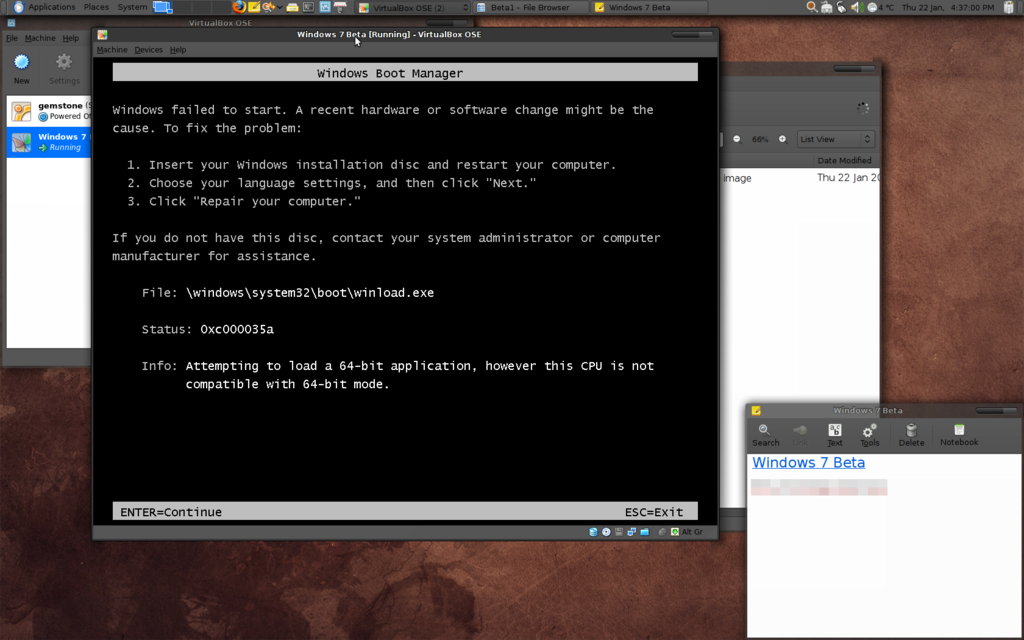
Then of course there's the whole download process. Why was all the registering necessary? It's an open beta supposedly free for anybody to test until the 1st of August 2009.
It probably goes without saying I'm not impressed. Ubuntu 64-bit runs fine in a virtual machine. I don't see why Windows shouldn't. Clearly I need to go back and look at the instructions again. But this is poor form from Microsoft. The stupid thing won't even install. Is this really beta software?
Sunday, 11 January 2009
Getting Serious About Blogging ... NOT!
2009 was going to be the year where I got really serious about blogging. Until I decided to share the LOL Cats RSS feed with anybody with nothing better to do. Besides, there's far too much fun to be had to sit around wasting time writing about it all!
http://feedproxy.google.com/ICanHasCheezburger?format=xml
http://feedproxy.google.com/ICanHasCheezburger?format=xml
Saturday, 13 December 2008
Microsoft Wishes We hated Everything Not Microsoft!
In a bizarre turn MSNBC has a published a list entitled "Gadgets That Make You Look Like A Jerk". The Black Berry, Sony TiVo, Apple MacBook Air, iPod and Linux all come in for a bashing. Even the band Mars Volta were trashed for some unknown reason?
When talking about Linux they claim it's "a pain to use". What's so hard about booting from a CD clicking one little icon to run the installer, filling in your details and letting Linux do it's thing? Gnome might be a little different from Aero but it's not that hard to use.
I mean when you see a menu at the top of the screen with the title "Applications". What do you think you'll find in that menu? Can it be any easier than that?
This is obviously a very desperate move by Microsoft to try and discreadit some of the competition. Some how I don't think Black Berry users are about to jump ship just yet.
When talking about Linux they claim it's "a pain to use". What's so hard about booting from a CD clicking one little icon to run the installer, filling in your details and letting Linux do it's thing? Gnome might be a little different from Aero but it's not that hard to use.
I mean when you see a menu at the top of the screen with the title "Applications". What do you think you'll find in that menu? Can it be any easier than that?
This is obviously a very desperate move by Microsoft to try and discreadit some of the competition. Some how I don't think Black Berry users are about to jump ship just yet.
Saturday, 6 December 2008
Microsoft Fudge
It's been a while since I've posted anything. So what's changed? Well Windows 7 is practically completed. Something some might pat Microsoft on the back for. After all it's like at least a year ahead of schedule? Well not me.
A quick brows through the various blogs around the net covering Microsofts' latest and greatest OS make one thing undeniably clear. Windows 7 is nothing more than a re-branding of Windows Vista. Something Microsoft beta tested with it Mojave project. Well it seems the beta testing is well and truly over.
The question now is is it fair to be so harsh on Microsoft? After all a new version of Ubuntu is released every six months and the development ethos is to do less but do it better. The answer is a simple yes. Here's why.
Microsoft as a commercial computer operating system developer has a near monopoly in the desktop operating system market. This ensures Microsofts' income will always be in the "billions" so long as it holds on to it's market share. So Microsoft aren't hurting for resources to throw into product development. They can afford to pay beta testers and programmers to do the grunt work of ironing out the bugs and smoothing everything over to guarantee a flawless user experience on supported hardware. But the reality is anything but smooth and flawless.
Microsoft with their near monopoly on the market can coral and influence other companies. Basically Windows should be guaranteed hardware support. But it's not. All the messing around with Vista held things up which meant not everything was ready on Vistas release. Even though Microsoft has seemingly changed very little to the underpinnings of Windows 7 some incompatibilities in software have crept in. Hardware interfaces with the OS via software drivers. If there are broken applications already showing up, what else is broken?
Windows isn't free. While apparently very little changes from one version of Ubuntu to the next, the distributors can get away with this for two primary reasons. It's free and users know what to expect. Considering the differences between Windows Vista and Windows 7 are set to be minimal, one has to wonder how much Microsoft are going to charge for Windows 7? A copy of Windows Vista Ultimate still costs well over £200 from Microsofts own on-line store. We also have to ask what exactly is changing in Windows 7? What are we paying for with this latest upgrade? If the Touch UI from Windows Surface that Microsoft have grafted onto Vista is the big feature then we're basically getting nothing.
How many folks currently have a touch-enabled PC display? Yet again Microsoft have failed to realise that OS upgrades shouldn't mean hardware upgrades. My current display, a Dell Ultrasharp 27", cost me around £900 as new. So if Windows 7s' pricing policy follows that of Windows Vista I'll have to fork out well over £1000 for the privilege of reaping the benefits of Windows 7 and I won't even have bought a new PC.
My prediction is Windows 7 will be another own goal for Microsoft. Like it's predecessor, Windows Vista, Windows 7 will be popular on new PCs only. But not because people actually want it. Because they simply won't have a choice.
A quick brows through the various blogs around the net covering Microsofts' latest and greatest OS make one thing undeniably clear. Windows 7 is nothing more than a re-branding of Windows Vista. Something Microsoft beta tested with it Mojave project. Well it seems the beta testing is well and truly over.
The question now is is it fair to be so harsh on Microsoft? After all a new version of Ubuntu is released every six months and the development ethos is to do less but do it better. The answer is a simple yes. Here's why.
Microsoft as a commercial computer operating system developer has a near monopoly in the desktop operating system market. This ensures Microsofts' income will always be in the "billions" so long as it holds on to it's market share. So Microsoft aren't hurting for resources to throw into product development. They can afford to pay beta testers and programmers to do the grunt work of ironing out the bugs and smoothing everything over to guarantee a flawless user experience on supported hardware. But the reality is anything but smooth and flawless.
Microsoft with their near monopoly on the market can coral and influence other companies. Basically Windows should be guaranteed hardware support. But it's not. All the messing around with Vista held things up which meant not everything was ready on Vistas release. Even though Microsoft has seemingly changed very little to the underpinnings of Windows 7 some incompatibilities in software have crept in. Hardware interfaces with the OS via software drivers. If there are broken applications already showing up, what else is broken?
Windows isn't free. While apparently very little changes from one version of Ubuntu to the next, the distributors can get away with this for two primary reasons. It's free and users know what to expect. Considering the differences between Windows Vista and Windows 7 are set to be minimal, one has to wonder how much Microsoft are going to charge for Windows 7? A copy of Windows Vista Ultimate still costs well over £200 from Microsofts own on-line store. We also have to ask what exactly is changing in Windows 7? What are we paying for with this latest upgrade? If the Touch UI from Windows Surface that Microsoft have grafted onto Vista is the big feature then we're basically getting nothing.
How many folks currently have a touch-enabled PC display? Yet again Microsoft have failed to realise that OS upgrades shouldn't mean hardware upgrades. My current display, a Dell Ultrasharp 27", cost me around £900 as new. So if Windows 7s' pricing policy follows that of Windows Vista I'll have to fork out well over £1000 for the privilege of reaping the benefits of Windows 7 and I won't even have bought a new PC.
My prediction is Windows 7 will be another own goal for Microsoft. Like it's predecessor, Windows Vista, Windows 7 will be popular on new PCs only. But not because people actually want it. Because they simply won't have a choice.
Wednesday, 10 September 2008
Fusion power seeks super steels
I noticed this article on the BBC news page. You can bet it'll raise the question from all the conspiracy theorists. Why don't more skyscrapers collapse during fires then?
http://news.bbc.co.uk/1/hi/sci/tech/7607473.stm
http://news.bbc.co.uk/1/hi/sci/tech/7607473.stm
Wednesday, 3 September 2008
Microsoft: Windows 7 for servers to be minor release
"Microsoft said on Monday that the server version of Windows 7 will not be a major release and will bear the name Windows Server 2008 R2."
http://news.zdnet.co.uk/software/0,1000000121,39463010,00.htm
http://news.zdnet.co.uk/software/0,1000000121,39463010,00.htm
Well that's a shocker! Over on Dells' IdeaStorm forum I've been warning people for months Windows 7 has become nothing more than a re-branding of Vista. This would seem to be the first concrete evidence of that prediction. But then again Microsoft has already said Windows 7 will now be using the Vista kernel and the Vista driver model. Re-branding exercise? You bet it is!
Tuesday, 2 September 2008
Disney World: The Land of Waiting In Line!
Okay I just spent a whole week in Disney World. It was awesome! But only because my girlfriend was there to. The Disney part wasn't as good as it should have been. It could just be that Disney are victims of their own success. But it seems like most of what we did for the week was wait in line and avoid the shops selling tacky souvenirs.
At least two thirds of the buildings in Disney World are shops selling Disney merchandise. Disney World isn't a theme park. It's an expansive open air shopping mall that sells nothing but Disney merchandise.
If it hadn't been for the fast pass system we'd have spent even more time waiting in line. If that wasn't bad enough the rides are all too short. You wait for well over an hour in some cases for a ride that's over in seconds. Literally 2 seconds. Summit Plummet at Blizzard Beach is one such example. Great ride. Long cue. Over far too quickly.
basically more rides are needed. Yes that will draw in more punters. But they'll be more widely dispersed around the parks. And the bus transportation system? Needs huge improvements. More buses would be a good start.
On a brighter note, the Magical Express was excellent. Disney World actually laid on a Magical Express coach just to take my girlfriend and I back to the airport in the wee early hours of the morning. Just for the two of us. That i can't fault. Neither can I fault the friendliness of all of the Disney staff. They were all top notch. From cleaners to dancers and actors.
At least two thirds of the buildings in Disney World are shops selling Disney merchandise. Disney World isn't a theme park. It's an expansive open air shopping mall that sells nothing but Disney merchandise.
If it hadn't been for the fast pass system we'd have spent even more time waiting in line. If that wasn't bad enough the rides are all too short. You wait for well over an hour in some cases for a ride that's over in seconds. Literally 2 seconds. Summit Plummet at Blizzard Beach is one such example. Great ride. Long cue. Over far too quickly.
basically more rides are needed. Yes that will draw in more punters. But they'll be more widely dispersed around the parks. And the bus transportation system? Needs huge improvements. More buses would be a good start.
On a brighter note, the Magical Express was excellent. Disney World actually laid on a Magical Express coach just to take my girlfriend and I back to the airport in the wee early hours of the morning. Just for the two of us. That i can't fault. Neither can I fault the friendliness of all of the Disney staff. They were all top notch. From cleaners to dancers and actors.
Subscribe to:
Posts (Atom)